
The Meal Plan tab helps you decide what to cook each day, see how your meals add up nutritionally, and shop for the whole week in one go.
Add Recipes to Your Meals
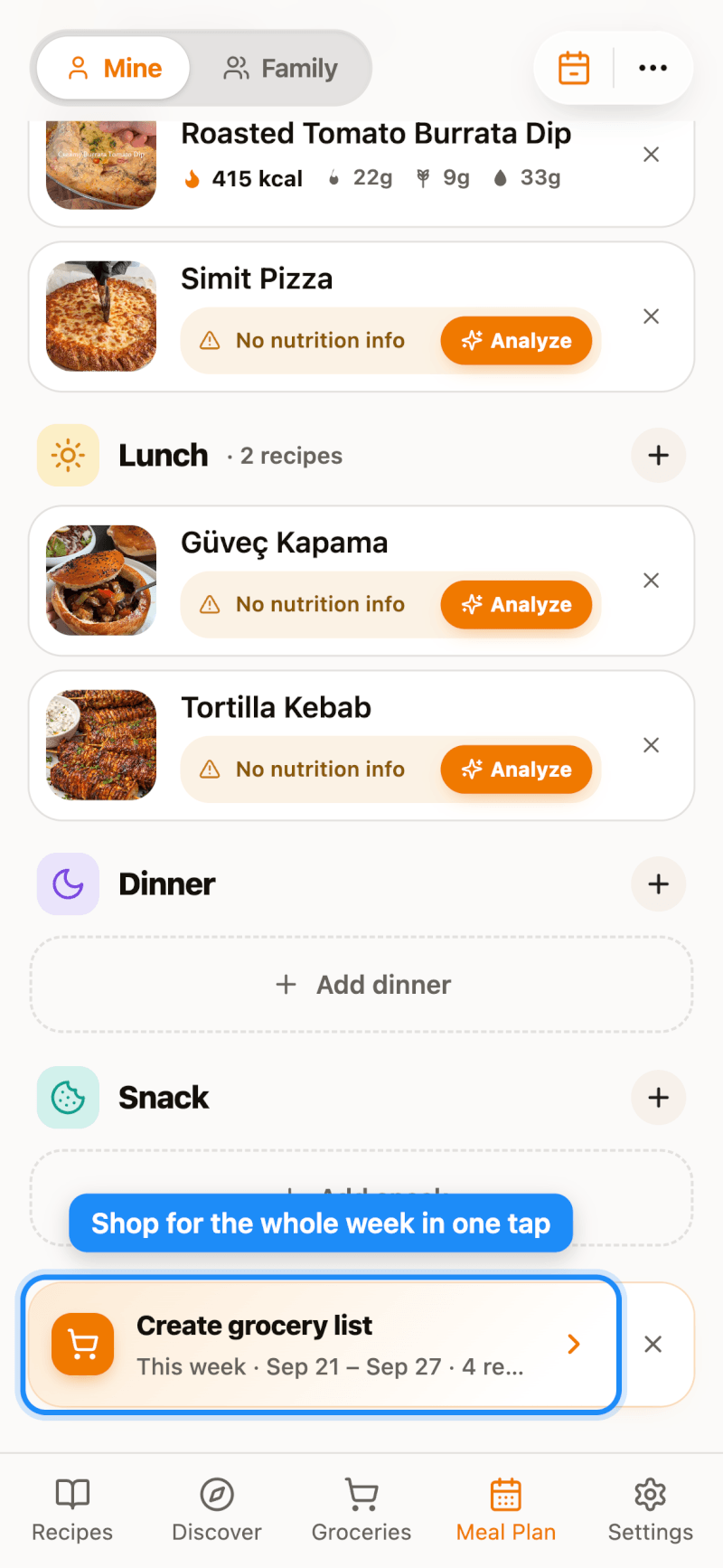
Each day has four meal slots: Breakfast, Lunch, Dinner, and Snack. Tap the + button next to a meal to add a recipe.
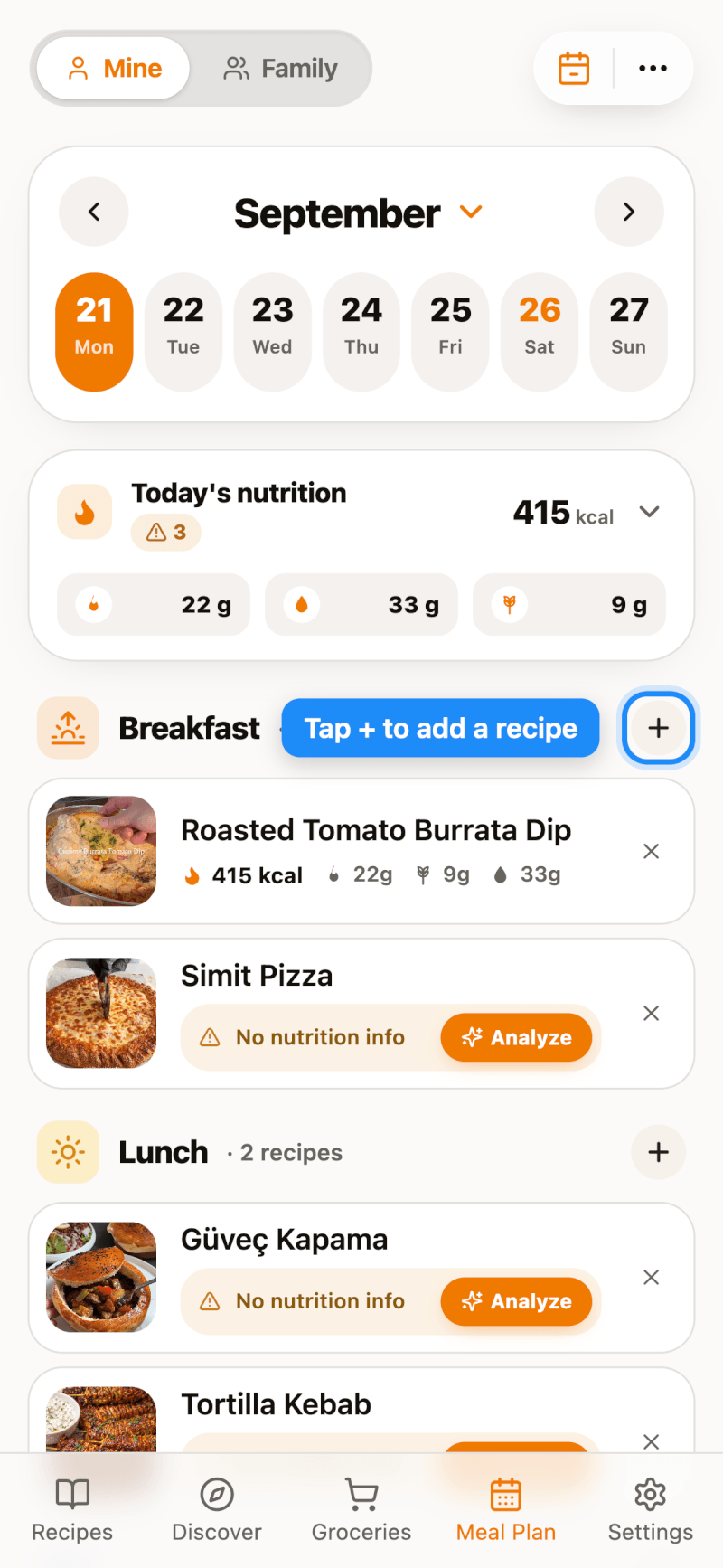
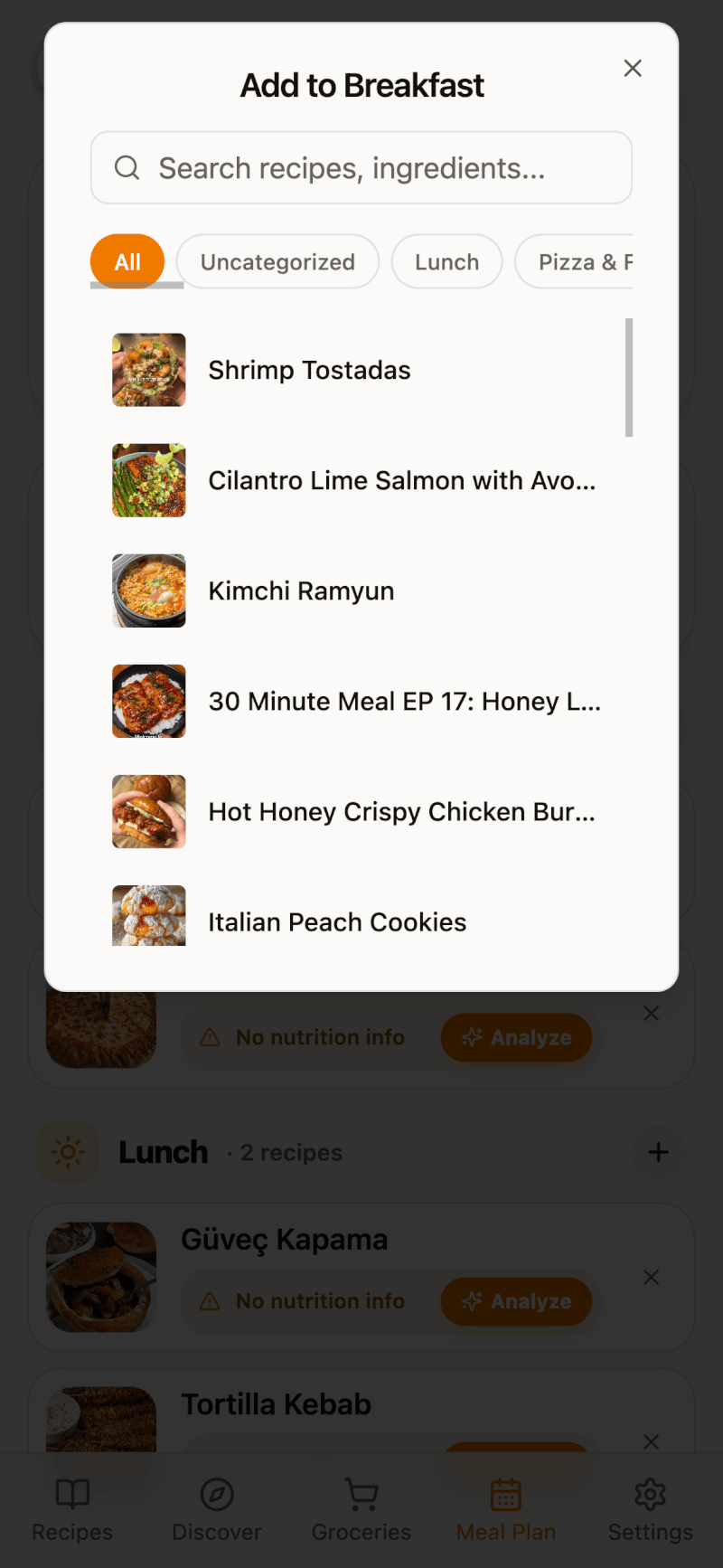
Search your collection or filter by cookbook, then tap a recipe to add it to that meal. You can add more than one recipe to the same meal.
To remove or move a planned recipe: on iPhone and iPad, long-press the recipe card and choose Move to another meal or Delete. On the web and Android, tap the × on the card.
Track Daily Nutrition
The Today's nutrition card adds up calories, carbs, protein, and fat for everything planned that day. If a recipe shows No nutrition info, tap Analyze to calculate it (nutrition analysis is a Pro feature). Learn more in our guide on analyzing recipe nutrition.
Switch Between Week and Month View
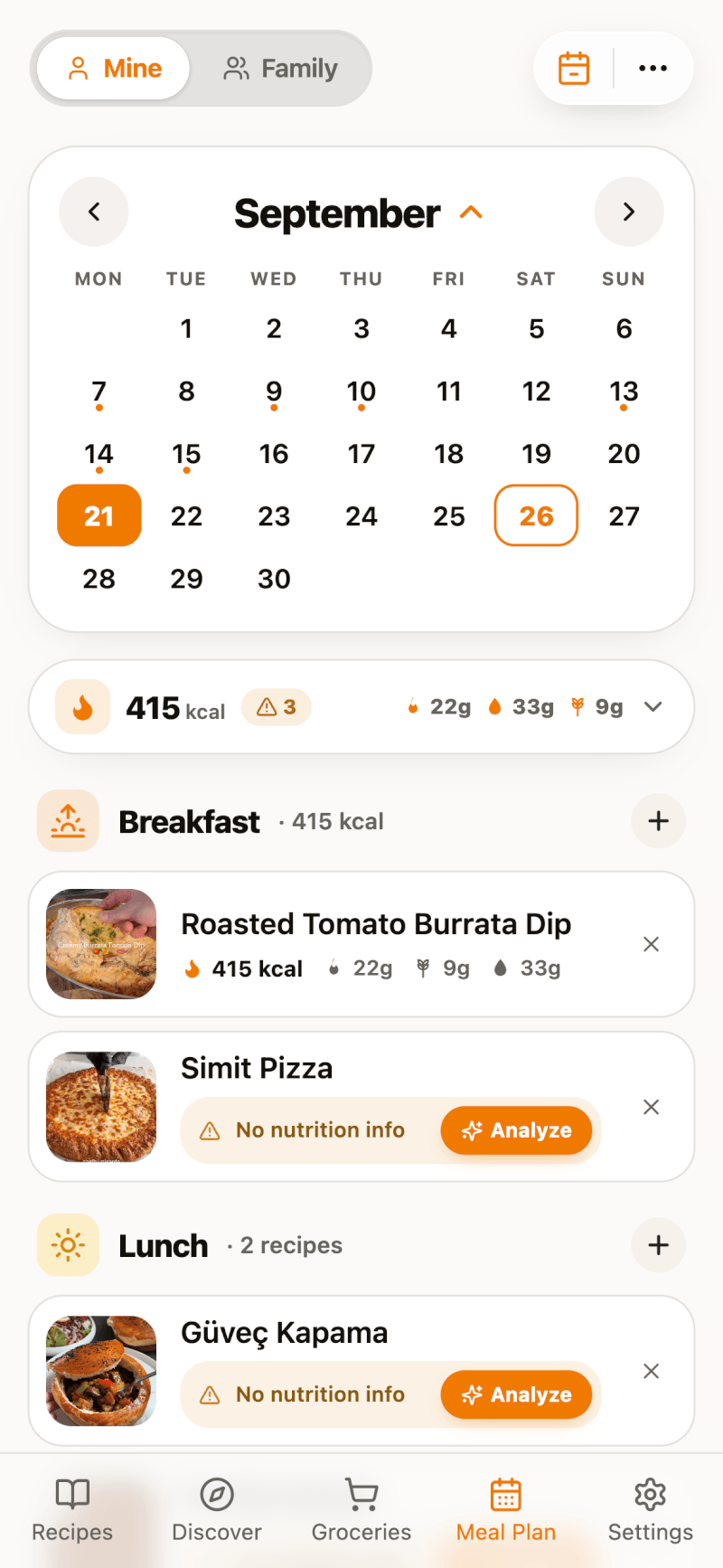
Tap the month name at the top of the calendar to expand the full month, and tap it again to go back to the week strip. A small dot under a date means you've planned meals for that day. Tap the calendar button in the top-right corner to jump back to today.
Export, Print, and More
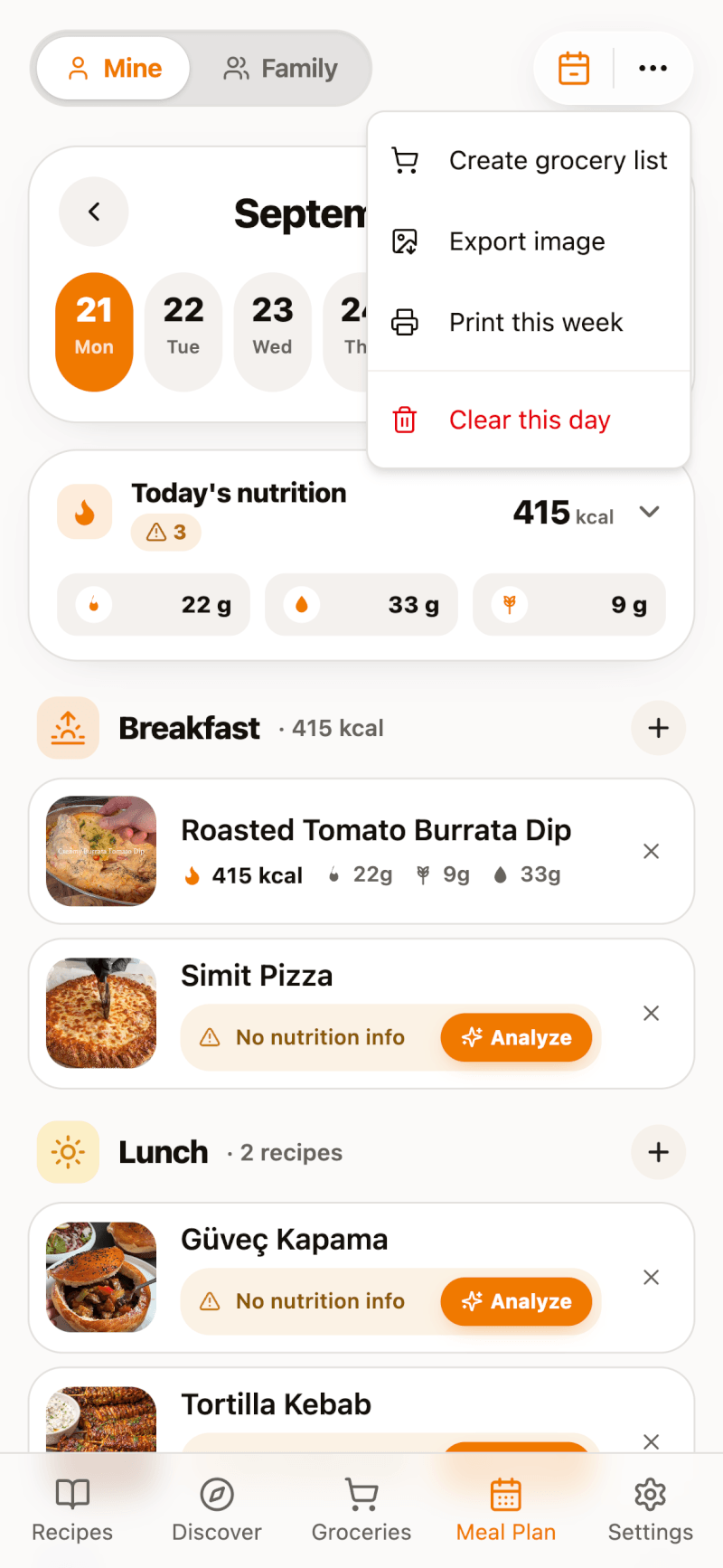
Tap the More button (⋯) in the top-right corner for extra options:
- Add to Grocery List (Create grocery list on the web) — add the ingredients from your planned meals to Groceries
- Export Image — save a shareable picture of your meal plan
- Print — print the week's plan (Pro; available on iPhone, iPad, and the web, but not in the Android app)
Turn Your Week into a Grocery List
Once you've planned a few meals, a Shop for this week card (Create grocery list on the web) appears at the bottom of the day. Tap it to collect the ingredients for the whole week.
Review the recipes and ingredients — uncheck any recipe you don't need to shop for — then tap Add to send everything to your Groceries list. On the Free plan, your grocery list can hold up to 5 recipes.
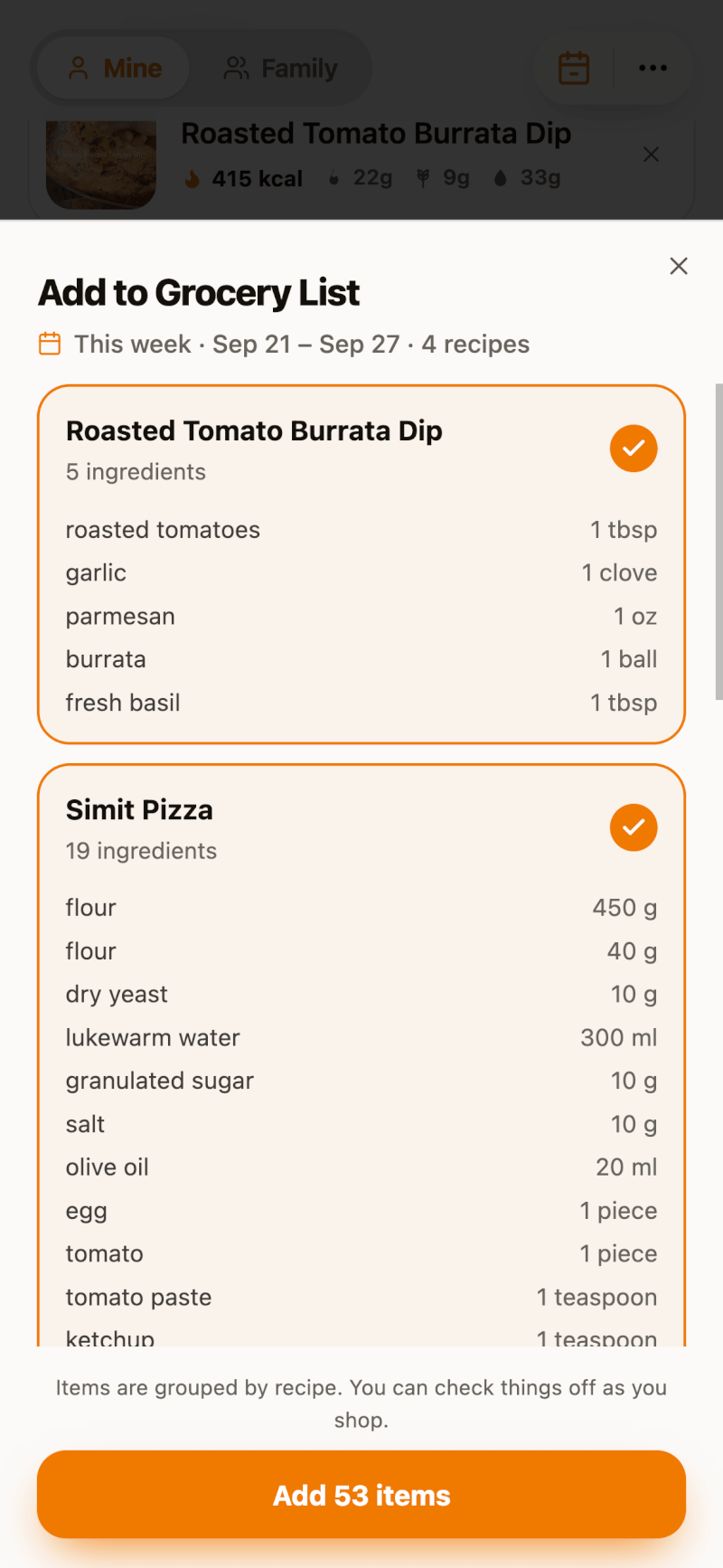
Want to combine duplicate ingredients across recipes? See how to smart merge your grocery list.
Plan Meals with Your Family
With a Family plan, switch between Mine and Family at the top of the page to see your household's shared meal plan. See sharing recipes with the Family plan.
Free plan note: on the Free plan, you can add meals to any day up to tomorrow — the week and month views work as usual, but days further ahead are locked. Upgrade to Pro to plan as far ahead as you like — see which plan is right for you.