
A meal planning app built on the recipes you already saved
Most meal planning apps hand you their own recipe catalog. Recipe Notes plans your week with the recipes you found yourself: the TikTok pasta, the Instagram traybake, the blog soup you keep coming back to.
Plan four meals a day, see the calories add up, and shop for the whole week from one merged list.


Also on the web at my.recipenotes.app · Updated October 2026
Plan your week here: free weekly meal planner
Fill in what you will cook this week, add what you need to buy, then print it or save it as a PDF. It uses the same four meal slots as the Recipe Notes app, so you can move the plan into the app later.
What the meal planner does
Four meals a day
Week and month views
Daily calories and macros
One grocery list for the week
Calendar and widgets
Plan with your family
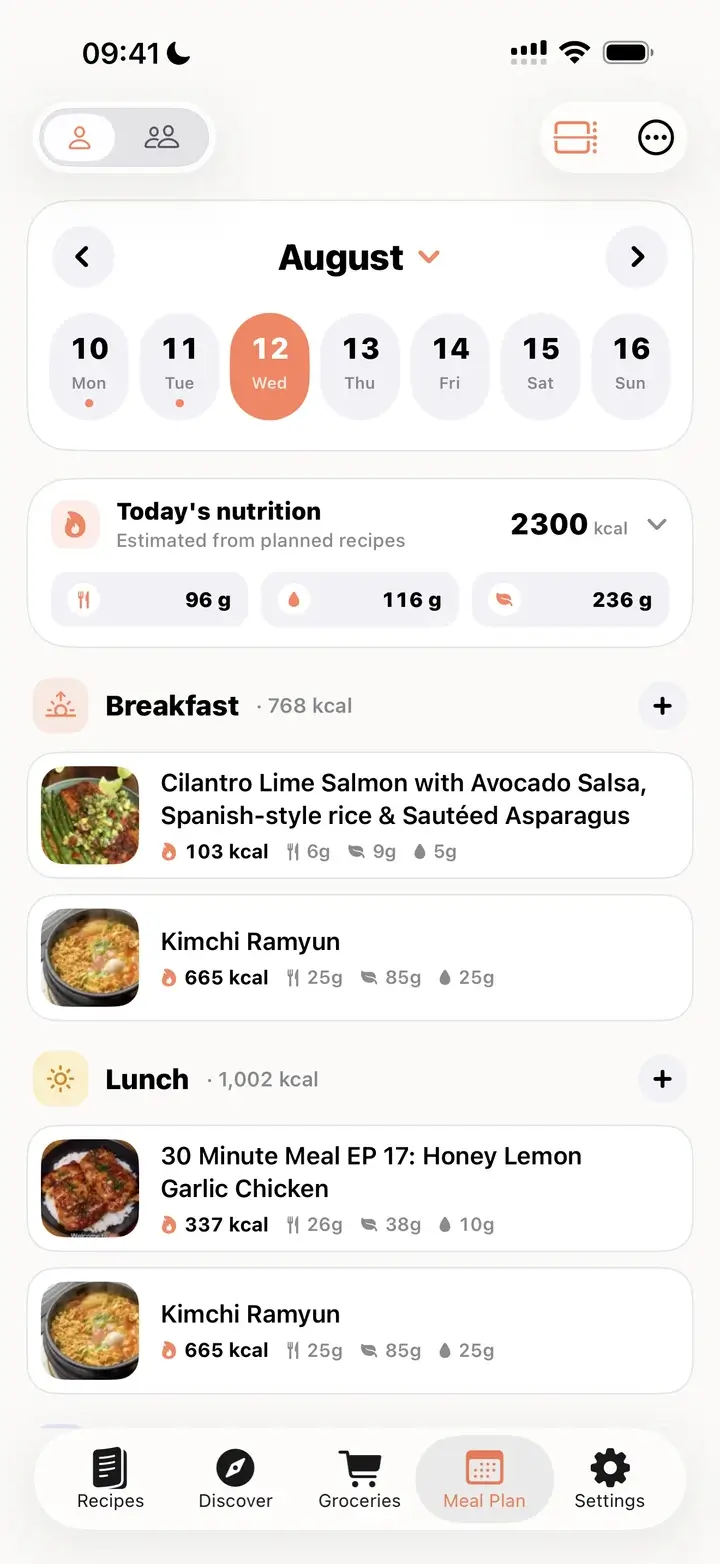
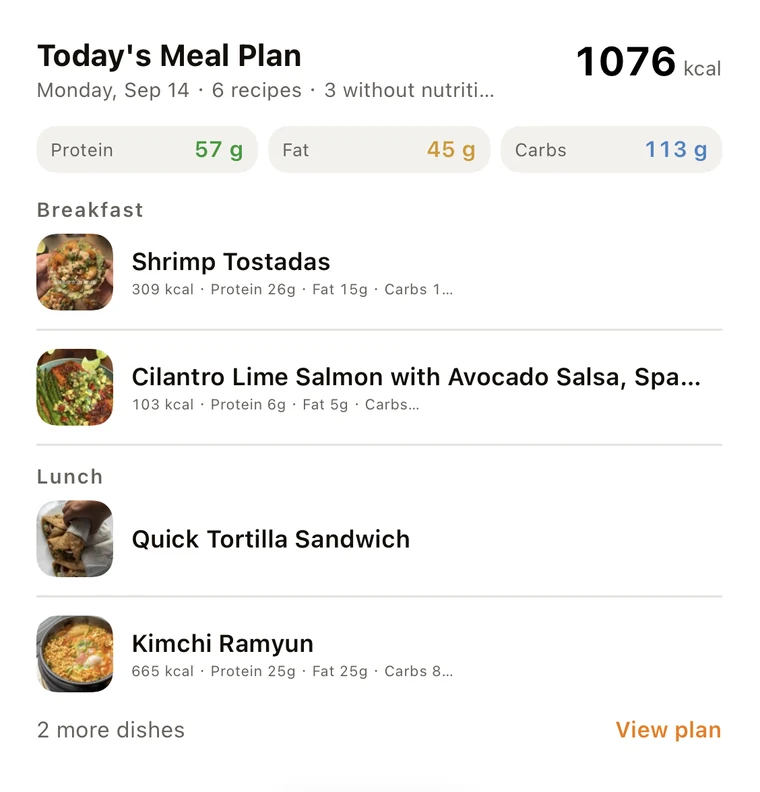
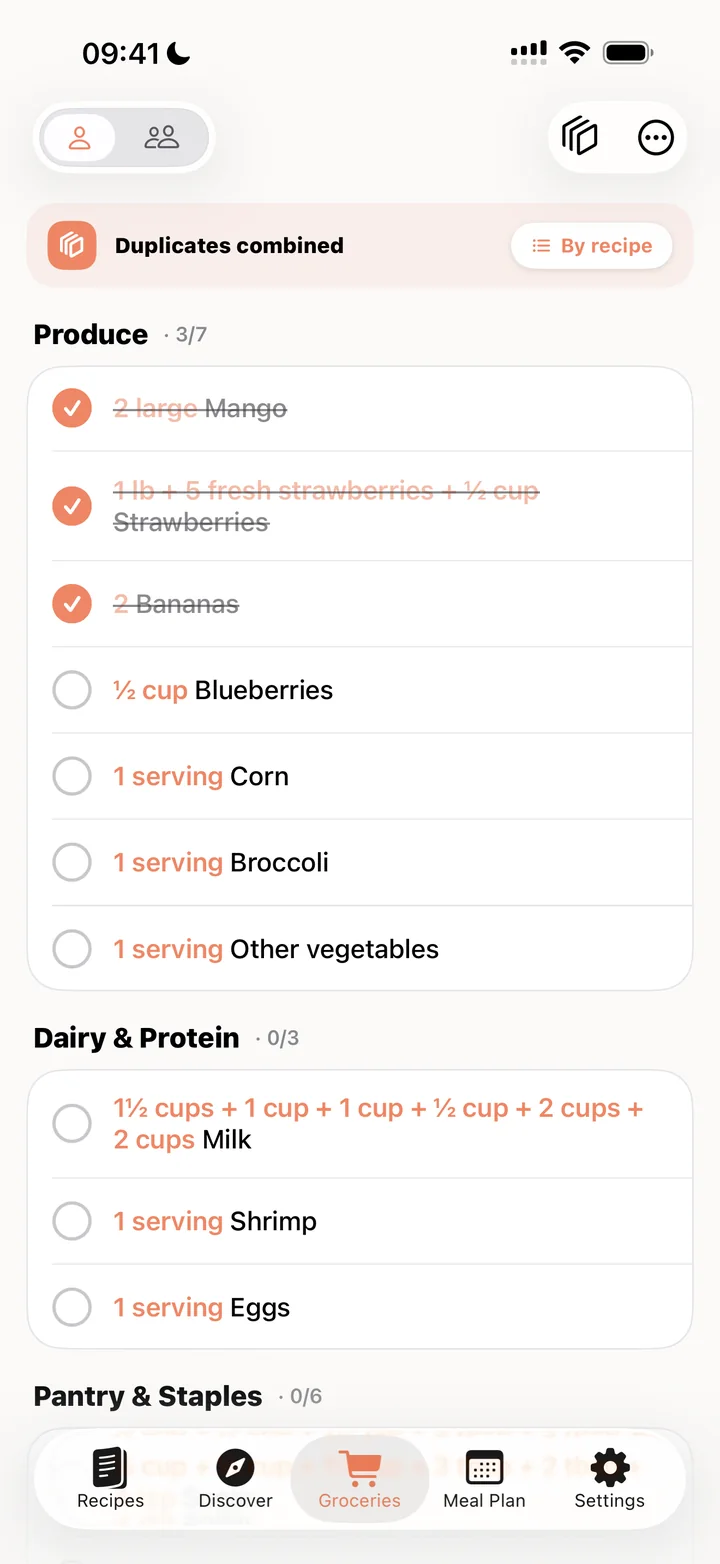
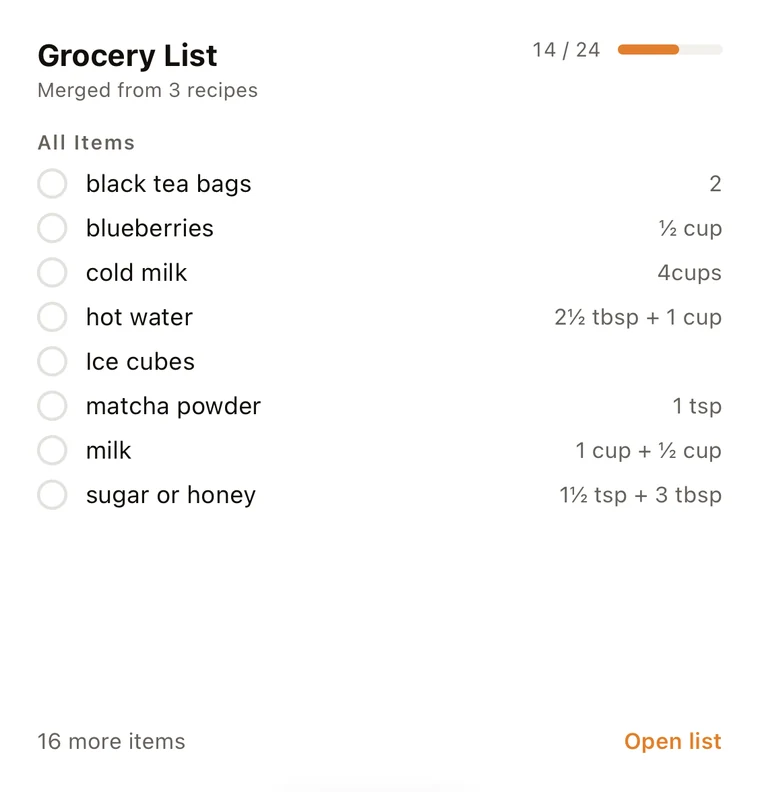
What it looks like in the app
How to plan a week of meals in 5 steps
The whole loop takes about ten minutes once your favorite recipes are saved.
- 1
Save the recipes you actually want to cook
Share a TikTok, Instagram or Pinterest post, or any recipe website, to Recipe Notes. The app pulls out the ingredients and steps, so the recipe is ready to plan.
- 2
Open Meal Plan and pick a day
Each day has four slots: Breakfast, Lunch, Dinner and Snack. Tap + next to a slot and choose a recipe from your collection. You can add more than one recipe to the same meal.
- 3
Check the day’s nutrition
The Today’s nutrition card adds up calories, carbs, protein and fat for everything planned that day, so you can balance a heavy dinner with a lighter lunch.
- 4
Shop for the week in one list
Tap Shop for this week (Create grocery list on the web). Uncheck the recipes you do not need to buy for, then add the rest to Groceries.
- 5
Merge duplicates and go shopping
Tap Combine duplicate items. The same ingredient from different recipes becomes one line, sorted by store section such as Dairy and Produce.
Turn the week into one grocery list
Most recipe apps add ingredients recipe by recipe, so “onion” shows up three times. Recipe Notes collects the whole week’s ingredients, then Combine duplicate items joins the same ingredient into one line and files it under a store section.
| Ingredient | Before: listed by recipe | After: combined |
|---|---|---|
| Milk | Pancakes: 3½ cups · Mac and cheese: 4 cups | One Milk line under Dairy |
| Onion | Chili: 2 · Soup: 1 | One Onion line under Produce |
| Canned tomatoes | Chili: 1 can · Soup: 1 can | One line under Pantry Staples |
- Pick only the ingredients you need from each recipe, scaled to the servings you set.
- On iPhone and iPad, sync the list to Apple Reminders.
- With the Family plan, the household shares one list across iPhone, Android and the web.
Free vs Pro for meal planning
The free plan is enough to try the loop with a day or two of meals. Pro is for planning the full week or month ahead. Full plan details are on the pricing page.
| Feature | Free | Pro |
|---|---|---|
| How far ahead you can plan | Today and tomorrow | Any day |
| Recipes in the grocery list | Up to 5 | Unlimited |
| Merge duplicate groceries | 10 a month | Unlimited |
| Nutrition shown for imported recipes | Yes | Yes |
| Calculate nutrition for any recipe | — | Yes |
| Recipe library | Unlimited | Unlimited |
| Ads | Never | Never |
Who this is for, and who it is not for
A good fit if you
- save recipes from social media and websites and want to actually cook them
- plan dinners for a household and shop once a week
- want a rough view of calories and macros without logging every bite
Look elsewhere if you
- want the app to generate a diet plan or a calorie target for you
- need precise, lab-grade nutrition tracking
- want grocery delivery built into the planner
Related guides
How Smart Merge works
Step by step: combine duplicate ingredients from several recipes into one list.
How to organize your recipes
A simple system for cookbooks, tags and a recipe library you can search.
Save recipes from TikTok
Turn cooking videos into recipes you can add to your meal plan.
Meal Plan tips and tricks
Week and month views, export, print and more, step by step.
Frequently asked questions
Yes. Recipe Notes is free to download and the free plan includes meal planning for today and tomorrow, an unlimited recipe library, cloud sync and no ads. Pro ($34.99 a year or $4.99 a month, with a 7-day free trial) lets you plan as far ahead as you like.
Yes. When the week has planned meals, tap Shop for this week (Create grocery list on the web) to send the ingredients to Groceries. Then tap Combine duplicate items to merge repeated ingredients into one line per item. On the free plan the grocery list holds up to 5 recipes and you get 10 merges a month.
Yes. Tap Combine duplicate items on the Groceries tab. For example, 3½ cups of milk from one recipe and 4 cups from another become a single Milk entry under Dairy. Your original by-recipe list is kept, so you can switch back at any time.
Yes, on iPhone and iPad. Turn on Sync with Reminders and allow Reminders access, and your grocery list appears in the Reminders app.
Yes. The Today’s nutrition card adds up calories, carbs, protein and fat for each planned day. Nutrition that came with an imported recipe is always shown. Calculating nutrition for a recipe that has none is a Pro feature, and all values are estimates from the ingredient list.
No. Recipe Notes does not generate diet plans or set calorie targets. You plan with recipes you chose and saved yourself. If you want a dietitian-style plan made for you, a dedicated diet app is a better fit.
Yes, with the Family plan ($49.99 a year for up to 6 people). Switch between Mine and Family at the top of the Meal Plan page to see the household plan. Family members do not need to share an Apple ID.
Yes. Recipe Notes runs on iPhone, iPad, Android and the web at my.recipenotes.app, and your meal plan syncs across all of them. Calendar sync and printing the plan are available on iPhone and iPad; printing is also available on the web.