How to organize recipes so you can find them again
Most recipe collections end up scattered across screenshots, browser bookmarks, Instagram saves and a drawer of printouts. The fix is not a prettier binder. It is a simple system you can keep up with.
This guide gives you that system in seven steps, then compares paper and digital ways to run it.


Also on the web at my.recipenotes.app · Updated October 2026
The 7-step system
- 1
Gather every recipe into one place
Collect screenshots, bookmarks, saved posts, printouts and handwritten cards. Two systems means you always check the wrong one first, so pick a single home before you sort anything.
- 2
Delete what you will never cook
Be honest: if you saved it two years ago and never made it, let it go. A smaller collection is easier to search and easier to keep tidy.
- 3
Choose a few broad categories
Sort by how you decide what to cook. Most people use meal type (breakfast, weeknight dinners, baking), some use cuisine or occasion. Keep it to roughly five to ten groups.
- 4
Use tags for everything that cuts across categories
A recipe can only sit in one binder section, but it can carry many tags: quick, vegetarian, freezer-friendly, kid-approved. Tags answer questions like “what is quick and vegetarian?”.
- 5
Write recipes in one consistent format
Title, servings, ingredients with amounts, numbered steps, source. A consistent layout makes every recipe faster to scan while you cook.
- 6
Mark what worked
After cooking, add a rating and a note (“use less salt”, “double the sauce”). Your notes are what turn a pile of recipes into your own cookbook.
- 7
Keep a backup
Photocopy or scan family cards. For a digital collection, use an app with cloud sync and an export you can open without the app.
Step 1 in practice: find every recipe you have saved
Most people have recipes in four or five places and forget at least one. Pick where yours are, and the checklist shows where each app hides your saves. Tick off each place as you finish it.
Where do you have recipes saved?
Social apps
Browser and notes
Photos
On paper
Go through each place
- Tap Profile or your profile picture in the bottom right.
- Tap Menu in the top right.
- Below How you use Instagram, tap Saved.
Tip: Open each saved recipe post and share it to your recipe app. Check the caption and the first comment for the ingredient list.
Official help page- Tap Profile at the bottom.
- Tap the Favorites button.
TikTok’s help center documents this path for favorite books and movies but does not describe where favorite videos are listed.
Tip: Many TikTok recipes keep the ingredients in the caption or a pinned comment. If it says “recipe in bio”, save the linked page instead.
Official help page- Open Safari and go to your start page.
- Tap the Show Bookmarks button.
- Tap the Reading List button to see pages saved for later.
On a Mac, File > Export Browsing Data to File saves your bookmarks as a .zip file.
Tip: Bookmarks break when sites change. Save the recipe itself, not only the link.
Official help page- Open the Photos app.
- Tap Collections and scroll down to Media Types.
- Tap Screenshots.
Tip: Recipe apps that read photos can turn a screenshot of a recipe into text you can edit.
Official help pageSteps for each app are copied from its official help page, checked October 24, 2026; tips and the paper steps are ours. Apps change their menus, so the help page is the final word. Your choices are saved in this browser only.
Categories vs tags: a quick rule
Categories (binder sections, folders, cookbooks) answer one question: where does this recipe live? Each recipe gets one home.
Tags answer many questions at once. A chili can be tagged weeknight, freezer-friendly and spicy. Use categories for the way you browse, and tags for the way you filter.
| If you usually ask… | Use as categories | Use as tags |
|---|---|---|
| “What is for dinner tonight?” | Breakfast, Weeknight dinners, Weekend projects, Baking | Quick, One-pot, Vegetarian |
| “What do I feel like eating?” | Italian, Mexican, Thai, Indian | Weeknight, Spicy, Kid-approved |
| “What can I bring?” | Holidays, Potluck, Desserts | Make-ahead, Feeds a crowd |
Paper or digital: which way to organize recipes
There is no single right answer. Pick the option that matches where your recipes come from.
| Feature | Binder | Recipe box | Notes app or docs | Recipe app |
|---|---|---|---|---|
| Best for | Printed recipes | Handwritten family cards | A few recipes, quick start | Recipes from websites and social media |
| Adding a recipe | Print and file | Write a card | Copy and paste | Share the link or a photo |
| Finding a recipe | Flip through sections | Flip through dividers | Text search | Search by name or ingredient, filter by tag |
| Grocery list | By hand | By hand | By hand | From the ingredients |
| Sharing | Photocopy | Copy the card | Send a file | Share a link or a family cookbook |
| Backup | Photocopy | Scan | Cloud | Cloud sync and export |
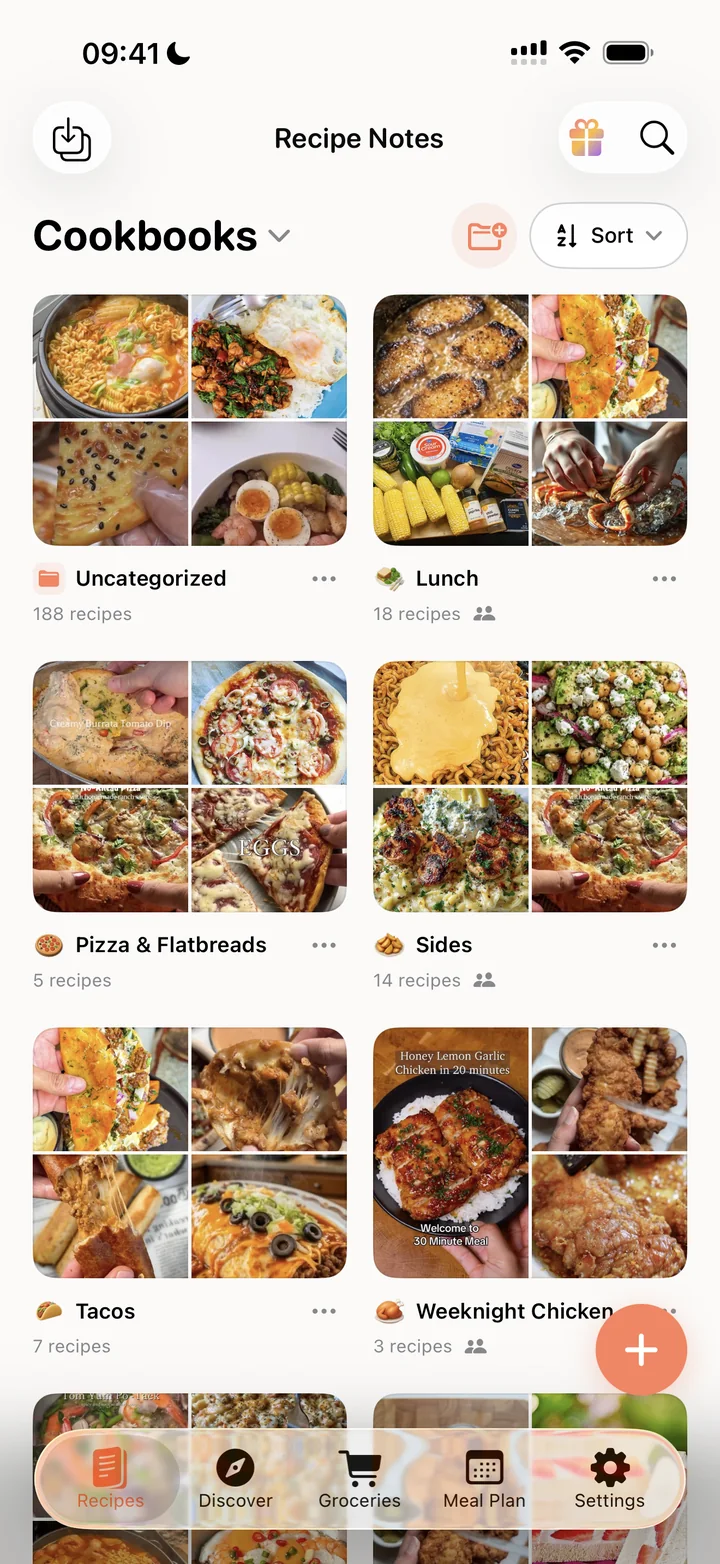
What an organized recipe app looks like
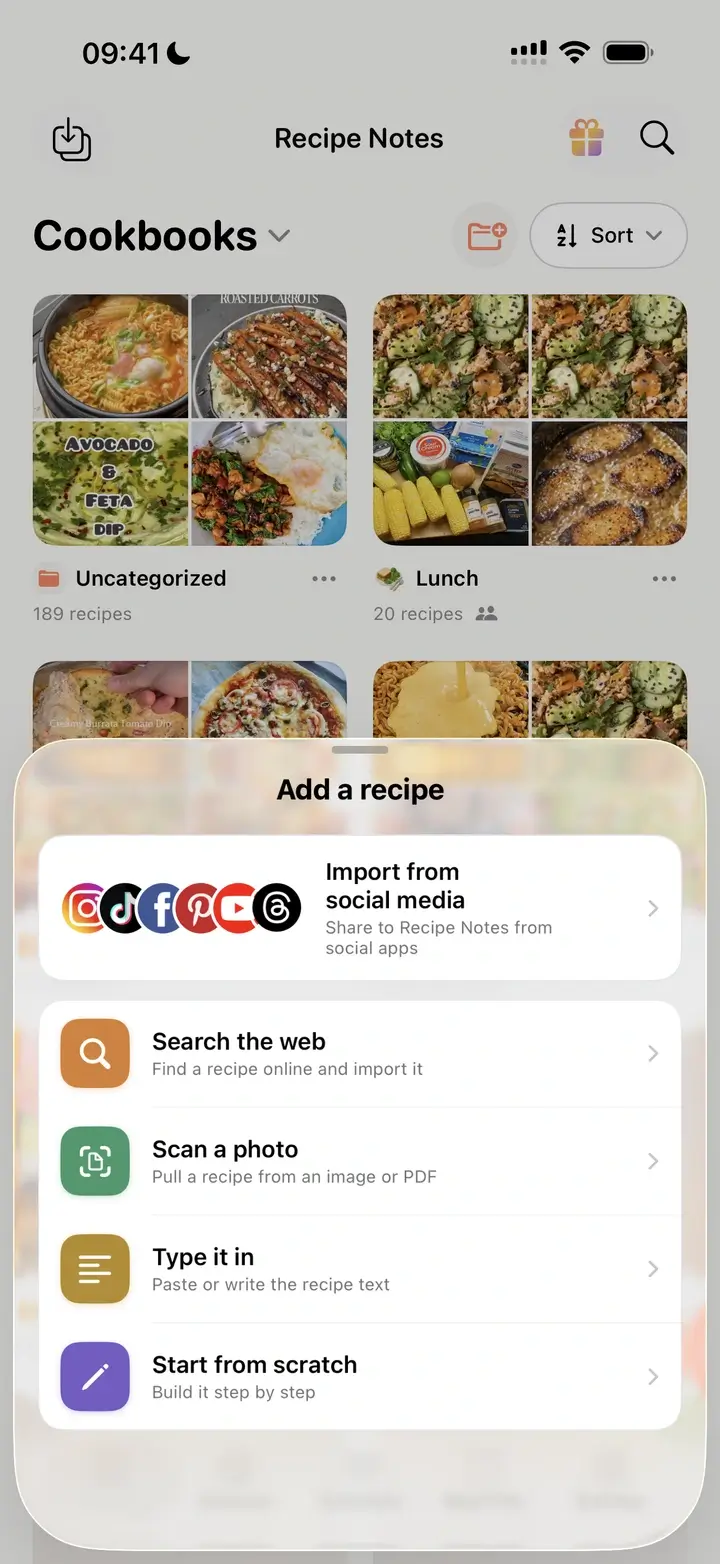
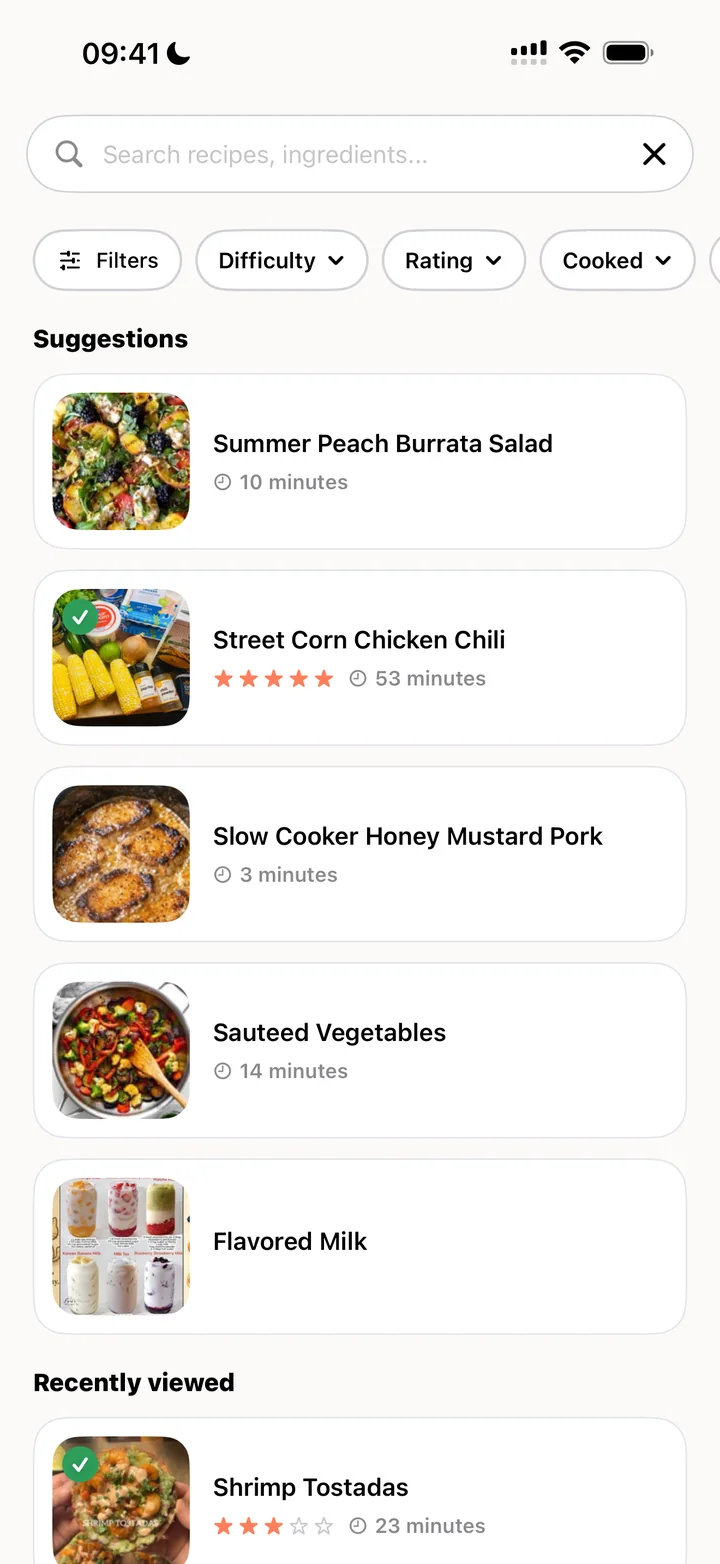
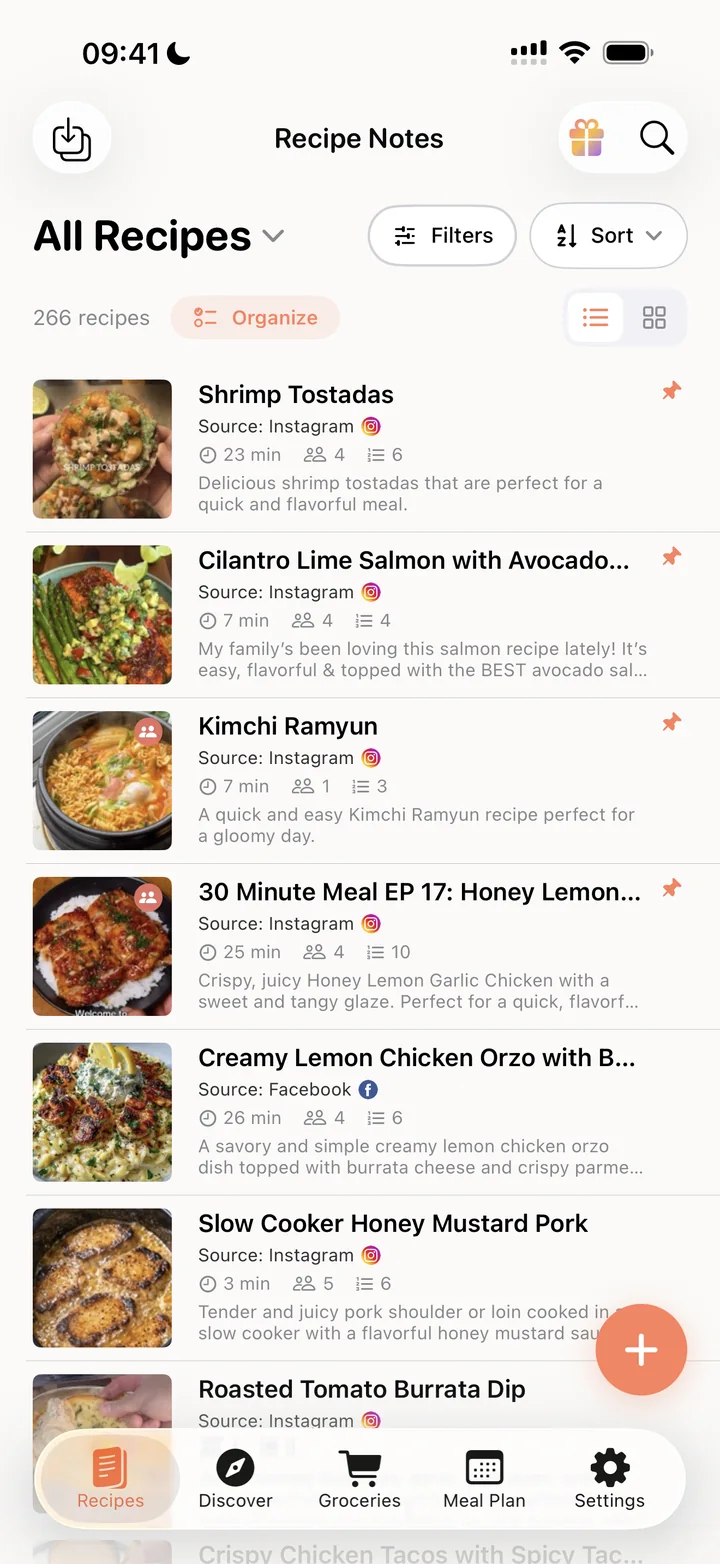
How to organize recipes digitally with Recipe Notes
If most of your recipes come from the internet, this is how the seven steps map to the app. All of it works on the free plan unless noted.
- Gather: share recipes from Safari, Instagram, TikTok or Pinterest, or snap a photo of a recipe card. See the Instagram guide.
- Categories: create cookbooks such as Breakfast or Weeknight Dinners. The free plan includes 2 cookbooks; Pro is unlimited. See cookbooks by meal type.
- Tags: add tags like #easy or #family, then filter by tag, cookbook, difficulty, rating or cooked status. See search and filter.
- Consistent format: imported recipes arrive as a title, ingredient list and numbered steps.
- Mark what worked: rate recipes and edit them with your own changes.
- Backup: your library syncs to the cloud, and you can export everything as Markdown and JSON files.
Related guides
Free cookbook app
Build a digital cookbook from recipes saved anywhere.
Organize family recipes
Digitize handwritten cards and share them with relatives.
Meal planning app
Put your organized recipes to work on a weekly plan.
Cookbooks by meal type
Step-by-step: create Breakfast, Lunch and Dinner cookbooks in the app.
Frequently asked questions
Keep every recipe in one place, sort them into a few broad categories based on how you choose what to cook (usually meal type), and add tags for things that cut across categories, such as quick or vegetarian. Rate recipes after you cook them and keep a backup.
Use a recipe app that can import from websites and social media, so you are not copying recipes by hand. Put recipes into cookbooks or folders by meal type, add tags, and search by ingredient when you need ideas. Choose an app with cloud sync and an export option so your collection is not locked in.
Organize by the question you ask most often. If you usually think “what is for dinner tonight?”, use meal type. If you cook from many cuisines and think “I feel like Thai food”, use cuisine. Use tags for the other dimension.
Store the originals in sheet protectors or a recipe box away from the stove, and make a digital copy. Recipe Notes can import a photo of a recipe card and turn it into editable text; keep the photo too, because the handwriting is part of the value.
Yes. Recipe Notes is free with an unlimited recipe library, cloud sync and no ads. The free plan includes 2 cookbooks (folders) plus tags; Pro adds unlimited cookbooks.