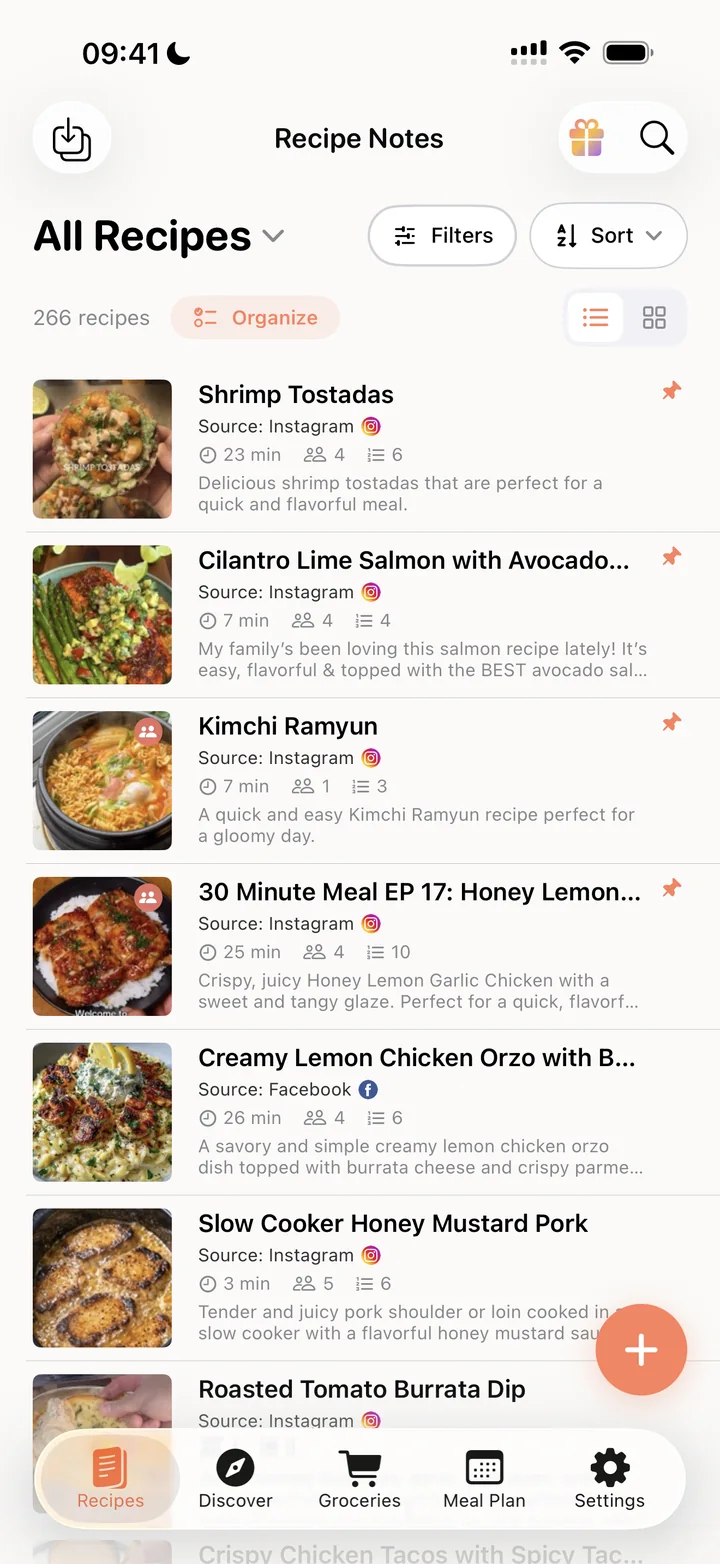
Free on iPhone, Android & web
The One-Tap Recipe Saver, Cookbook & Organizer App
Save recipes from Instagram, TikTok and any website, organize them into cookbooks, plan your week and shop from one list. Recipe Notes keeps it all in sync.
- Unlimited recipes, free
- 20 free social imports a week
- No credit card needed






1k+ ratings · 50,000+ home cooks · No ads
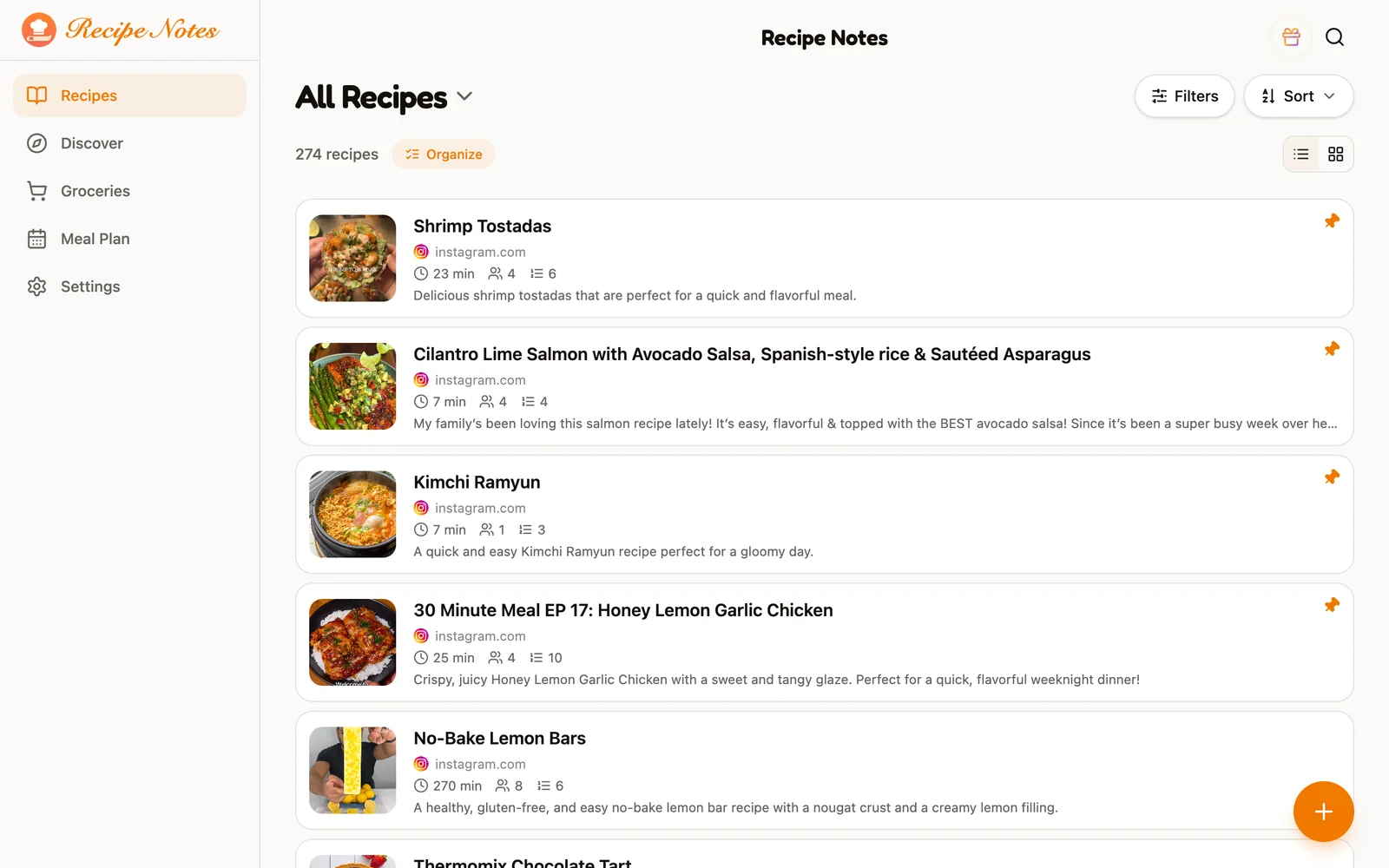
- Recipes saved
- 1,000,000+
- From 1k+ ratings
- 4.7★
- Meal plans shared weekly
- 2,000+
- Languages in the appAvailable inEnglishUS & UK中文Simplified & Traditional日本語Japanese한국어KoreanDeutschGermanFrançaisFrenchEspañolSpanishItalianoItalianNederlandsDutchPortuguêsPortuguese (Brazil)العربيةArabic
- 11
Cooking made effortless
Eat well without the hassle
From the post you saved to your meal plan, grocery list and dinner table, Recipe Notes makes every step easier.
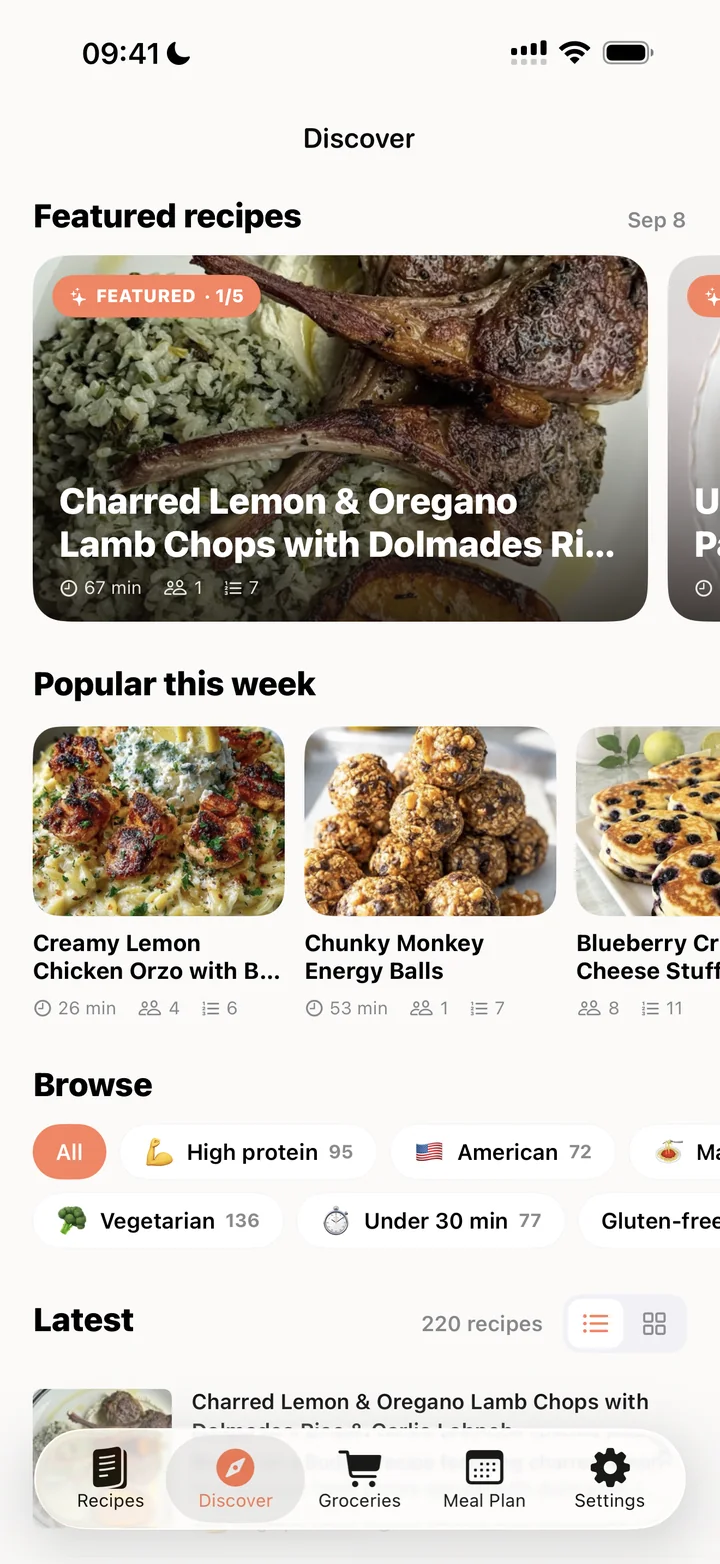
Import from anywhere
Share a post from Instagram, TikTok or any website and the recipe lands in your collection.
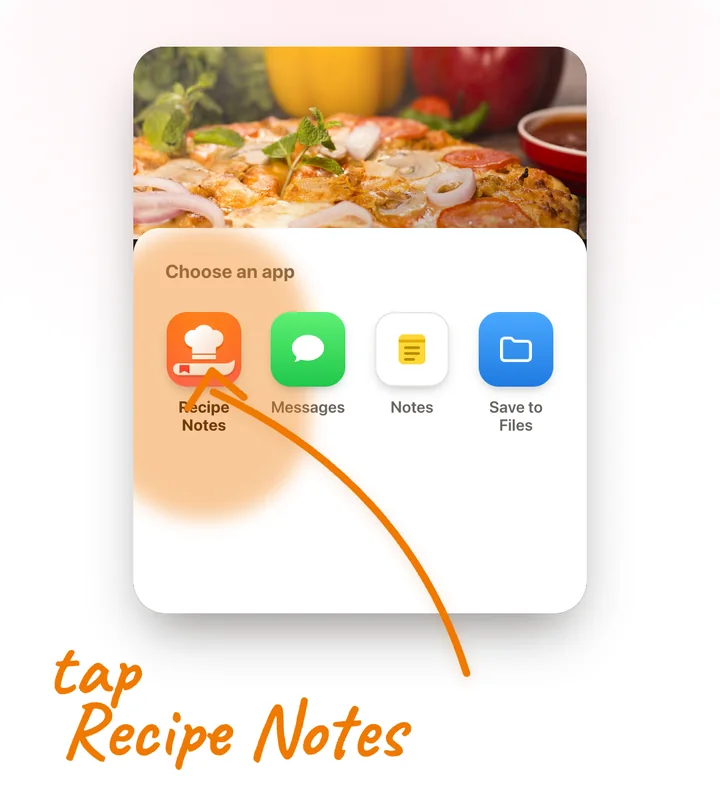 One tap to save
Grocery lists that add up
Add a recipe’s ingredients in one tap. Duplicates merge into a single line.
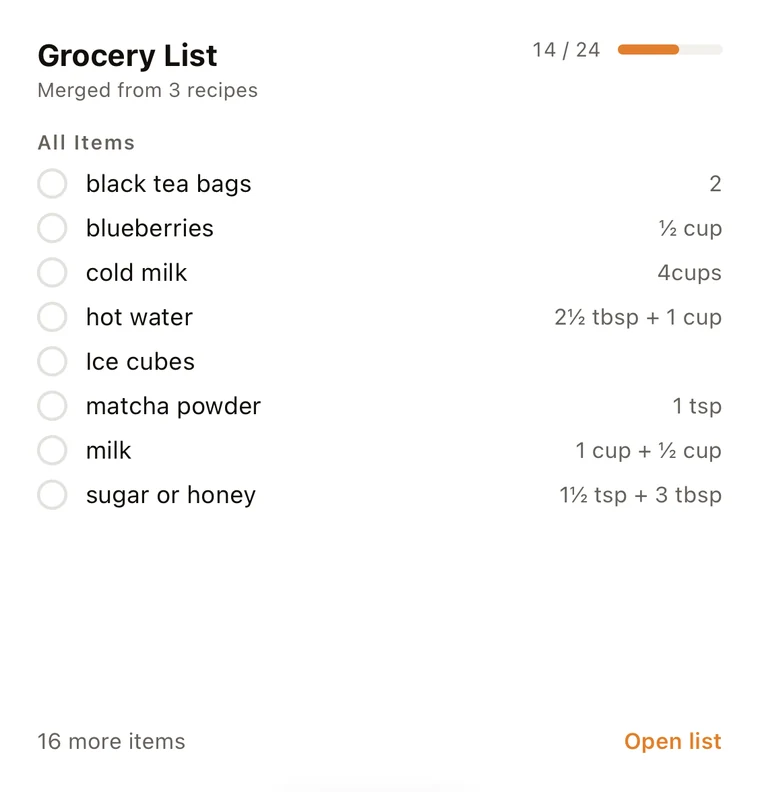 Merged from 3 recipes
A meal planner that counts for you
Plan breakfast to dinner for the whole week, with calories and macros tallied as you go.
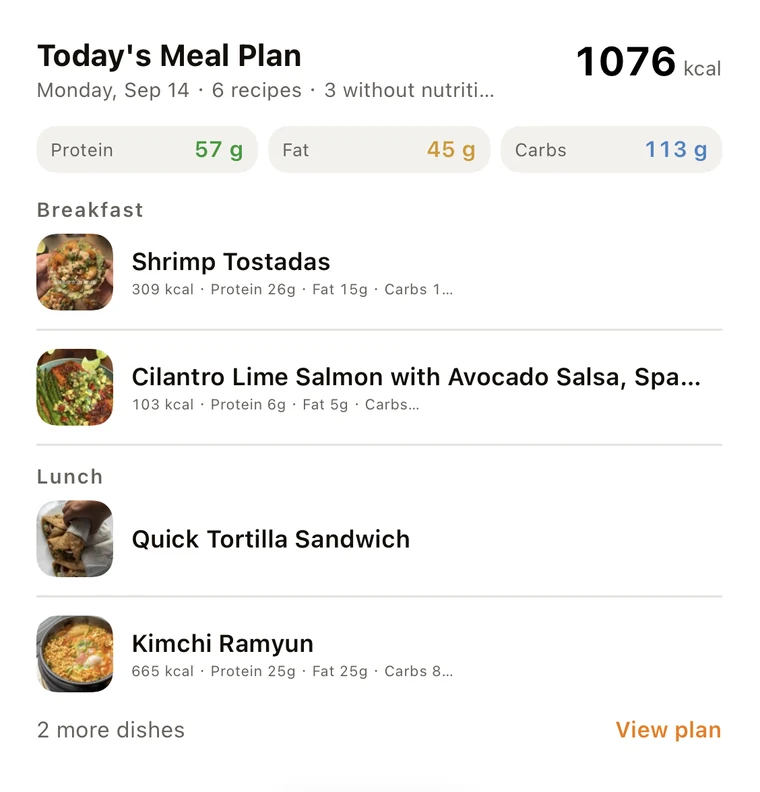 Tracks calories
How it works
Save, plan, shop
and cook in minutes
Four steps take a recipe from your feed to your table.
Step 1
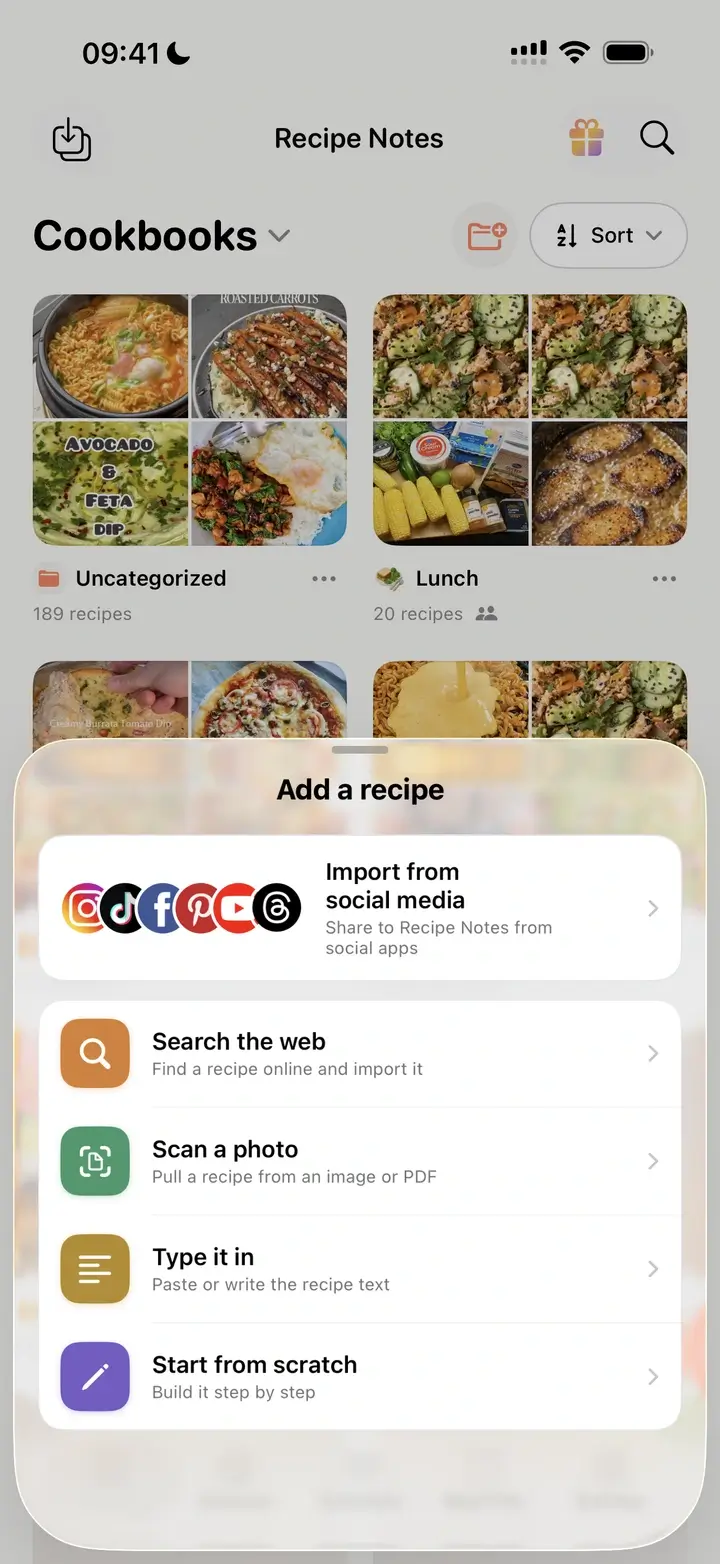
Save from any app
Share a post from Instagram, TikTok or any website to Recipe Notes and it imports in one tap, or scan a cookbook page. Ingredients and steps come in cleanly.
Step 2
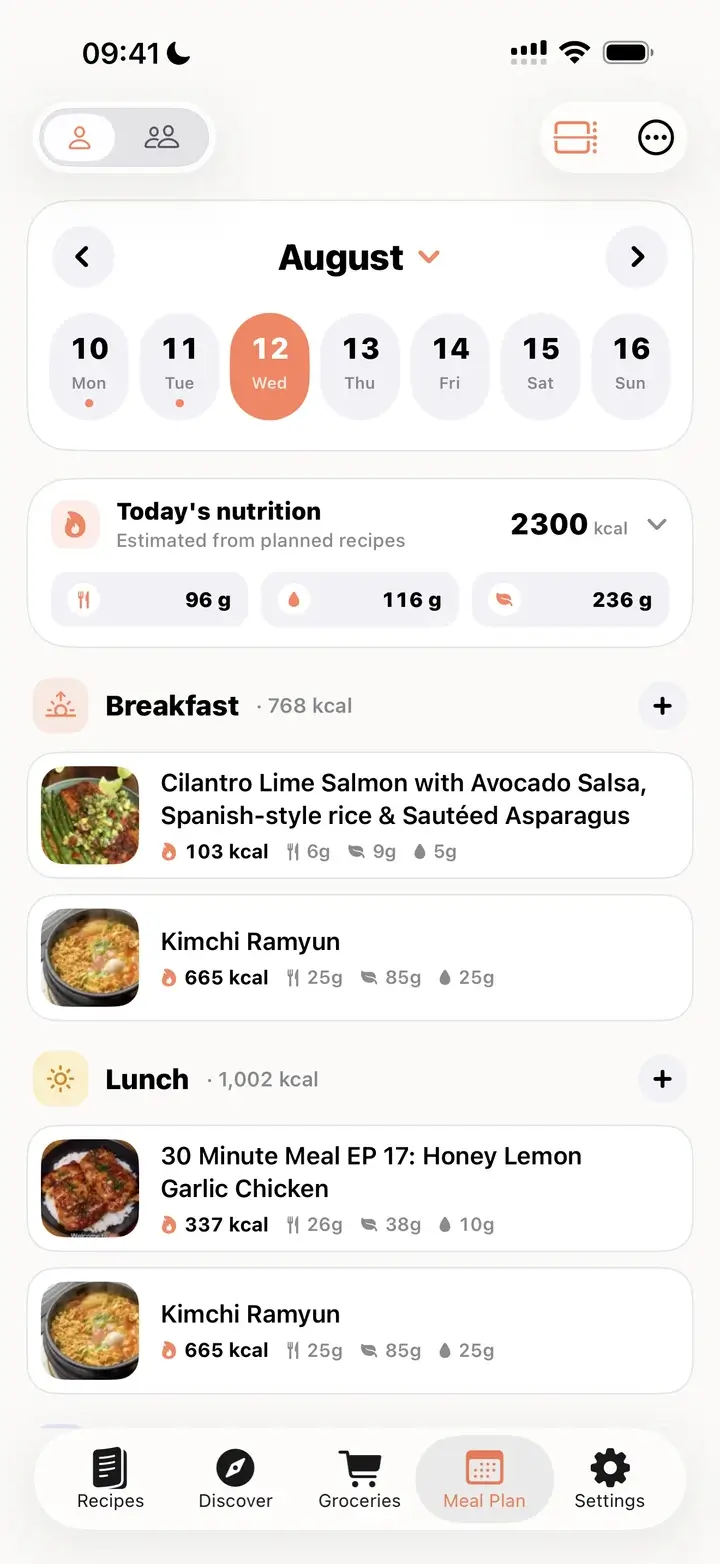
Plan your week
Drop recipes onto the days you’ll cook them and see calories, protein, fat and carbs add up.
Step 3
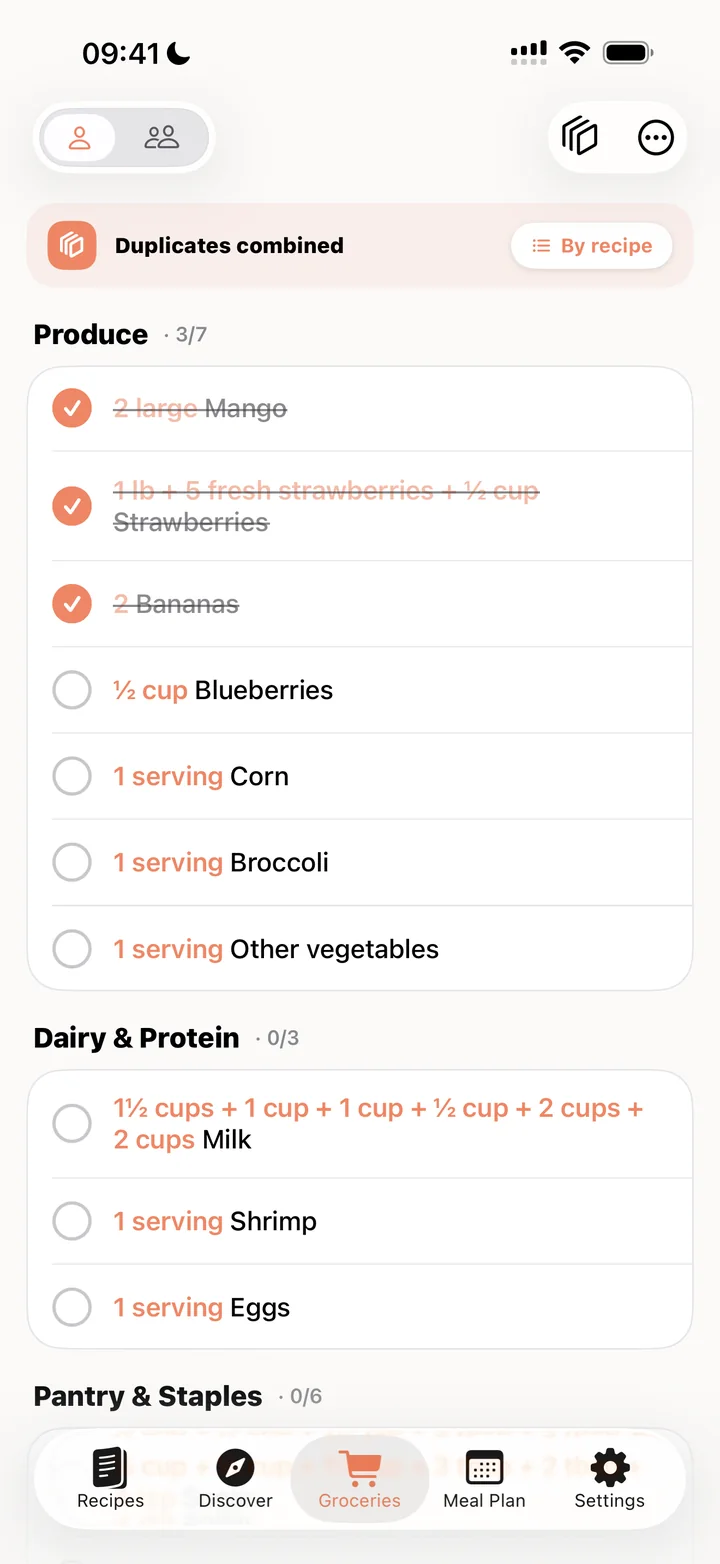
Shop from one list
Build a grocery list from your plan. Duplicates merge into one line, grouped by aisle.
Step 4
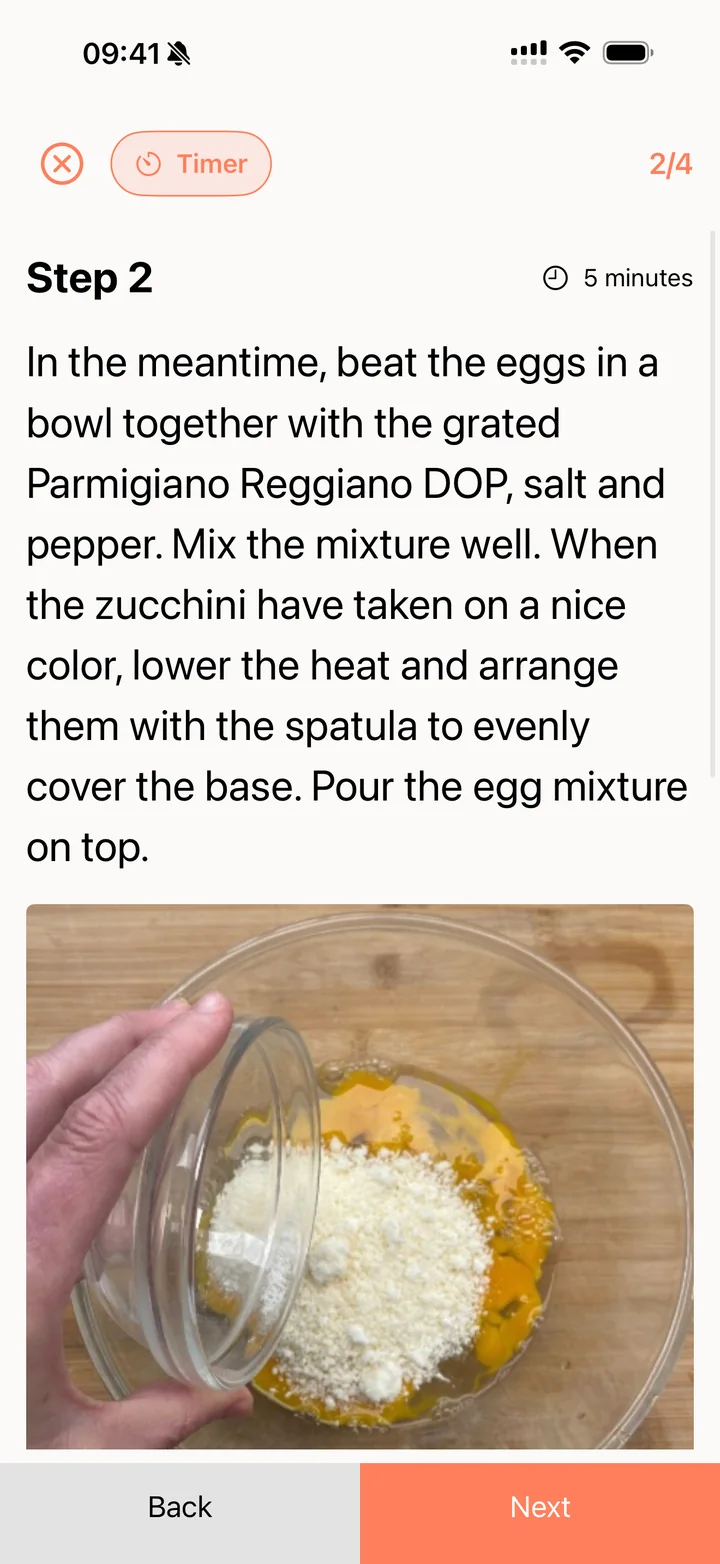
Cook step by step
Cook mode shows one step at a time with text that sizes itself to fit, plus a built-in timer. Your screen stays on.
Features
A recipe organizer that
keeps up with you
Save from anywhere, keep it organized and find it again in seconds. Recipe Notes is the free recipe saver, cookbook and organizer in one.
Save from Instagram or TikTok in seconds
Share any post to Recipe Notes and the ingredients and steps land in your collection, with the source saved.
How to save recipes from Instagram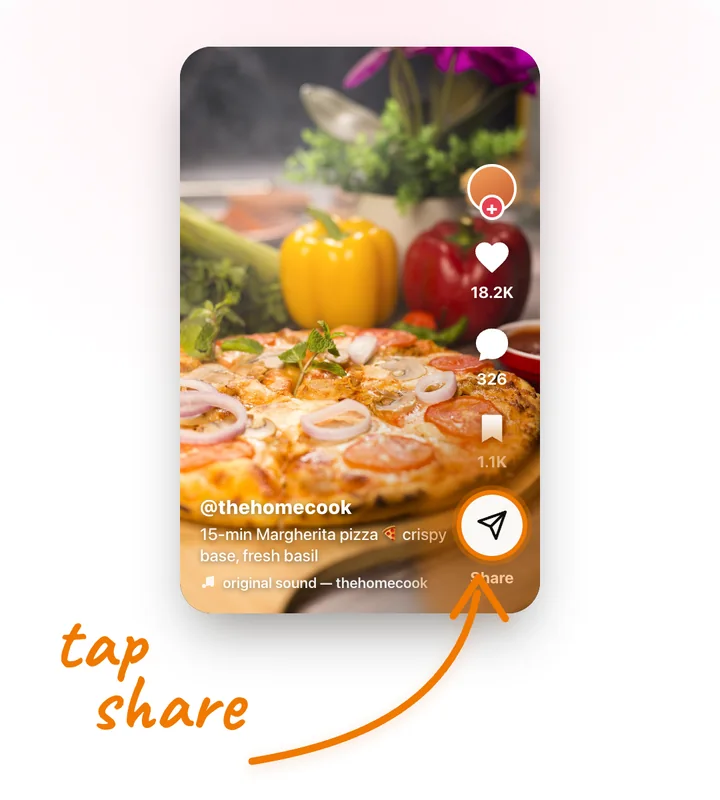
1. Tap Share
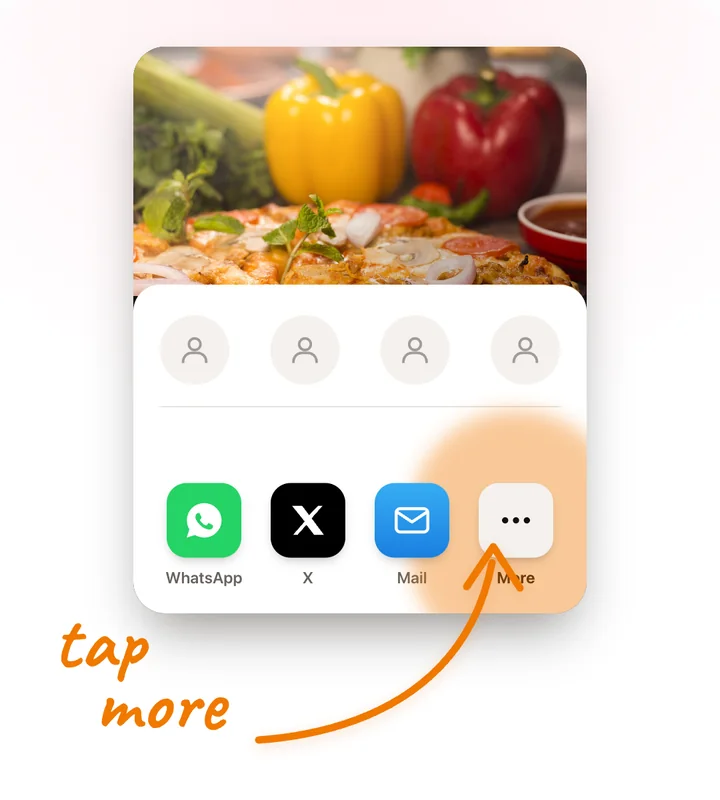
2. Tap More
3. Pick Recipe Notes
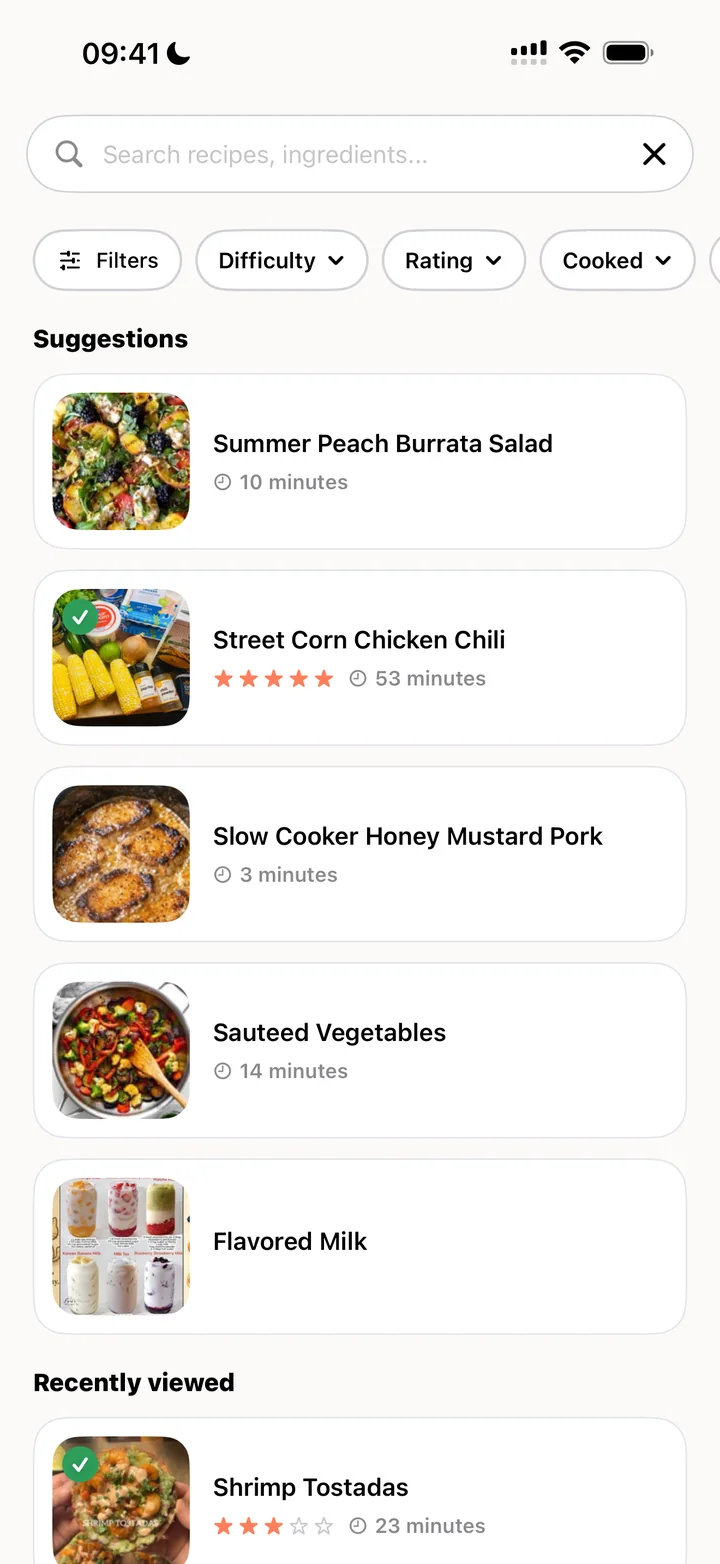
Find the recipe you want, fast
Search by name or ingredient, then filter by difficulty, rating or what you’ve already cooked.
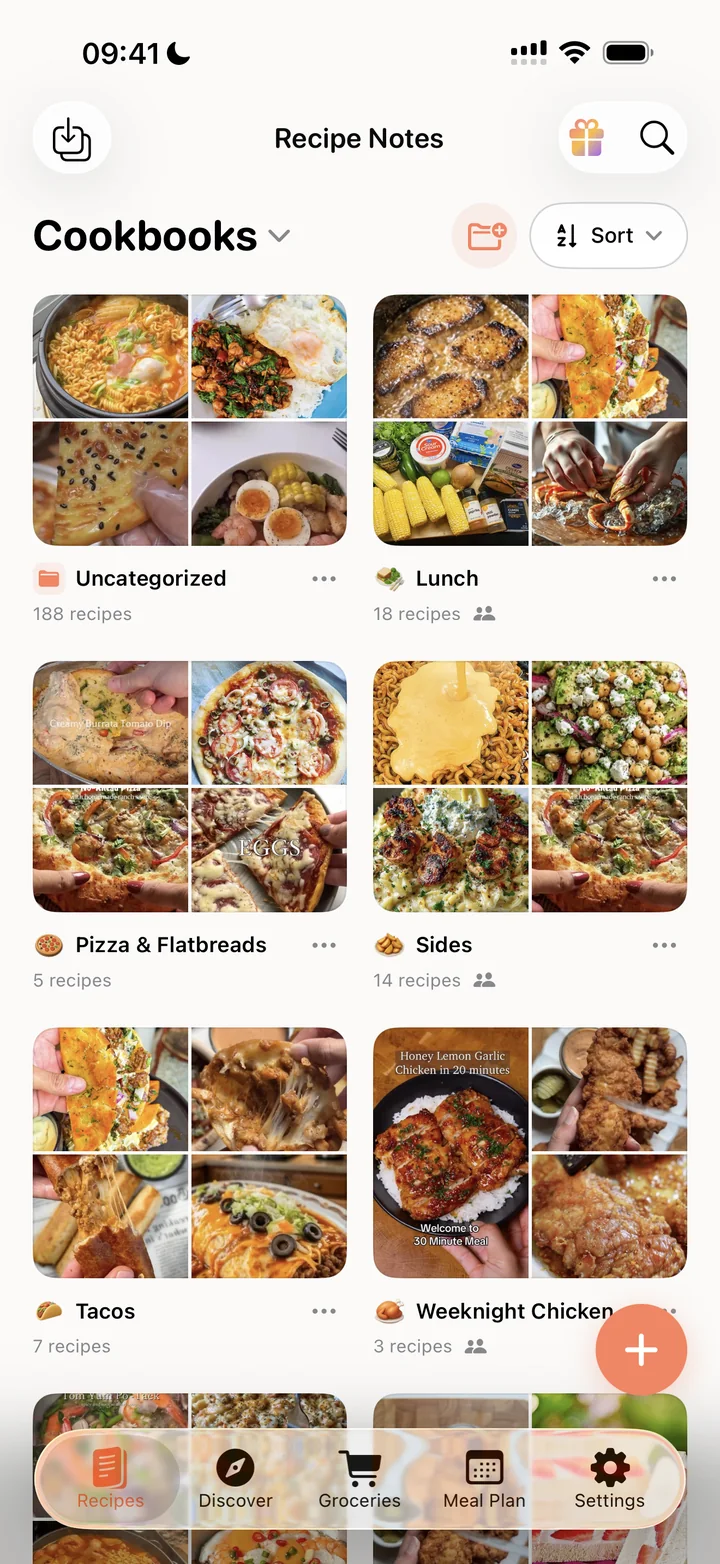
Cookbooks that stay tidy
Sort every saved recipe into cookbooks for weeknights, holidays or diets, each with a photo cover of what’s inside.
Build your free digital cookbookCook together as a family
Invite the people you cook with. Everyone’s cookbooks show up in one shared space.
Organize family recipes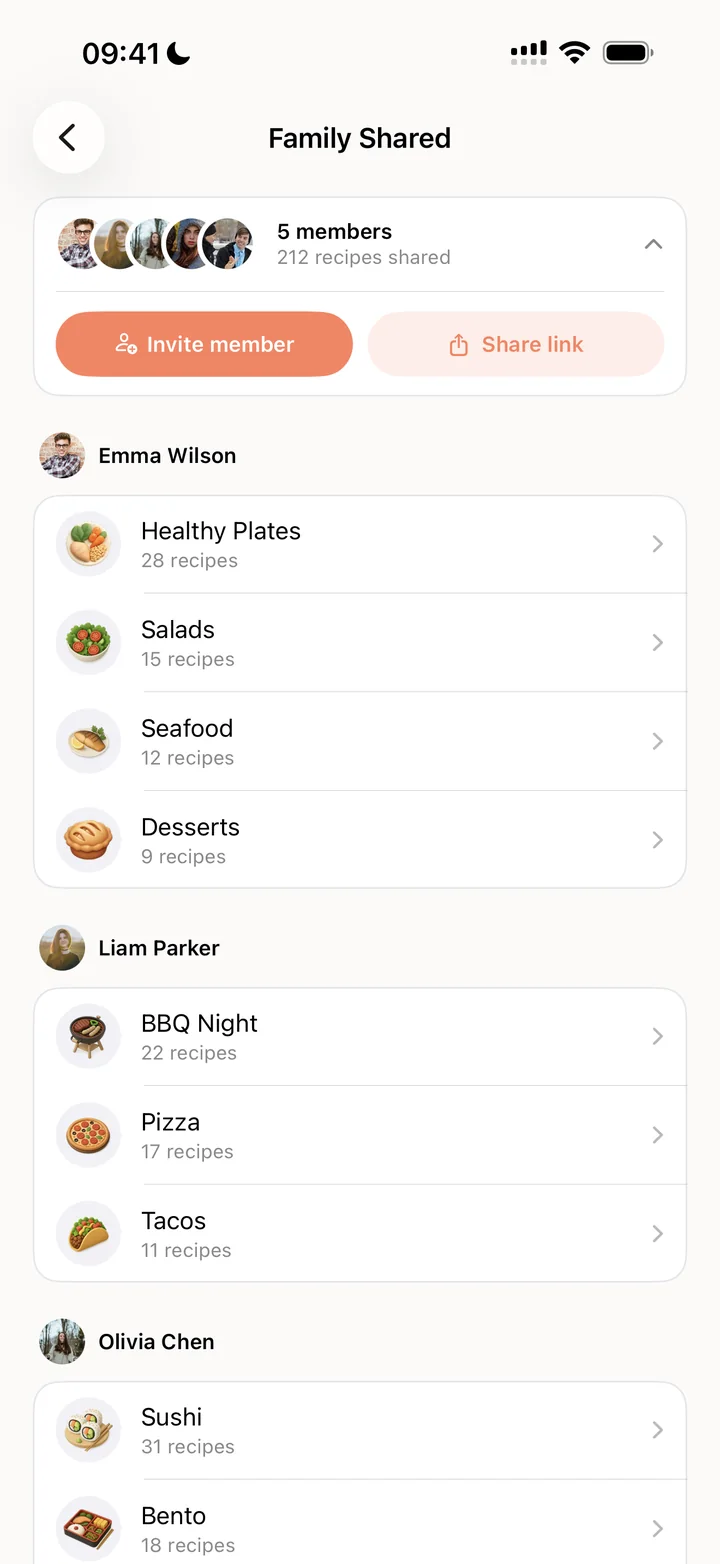
Fresh ideas every week
Discover featured and popular recipes, browse by diet or cuisine, and save the ones you like in one tap.
Compare
What’s free here costs extra elsewhere
How Recipe Notes stacks up against two popular recipe apps.
| Feature | Recipe Notes | ReciMe | Paprika 3 |
|---|---|---|---|
| Price | Free plan · Pro optional | Limited free tier, then subscription | One-time per platform: $4.99 iPhone/iPad or Android, $29.99 Mac or Windows |
| Recipe library | Unlimited, free | Limited on free tier | Unlimited (paid app) |
| Instagram & TikTok import | 20 free a week | Limited on free tier | Not supported |
| Cloud sync | Free | Paid | Included with purchase |
| Ads | None | Ads on free tier | None |
Competitor plans as publicly listed in 2026; they may change.
Home Screen widgets
Your kitchen, one glance away
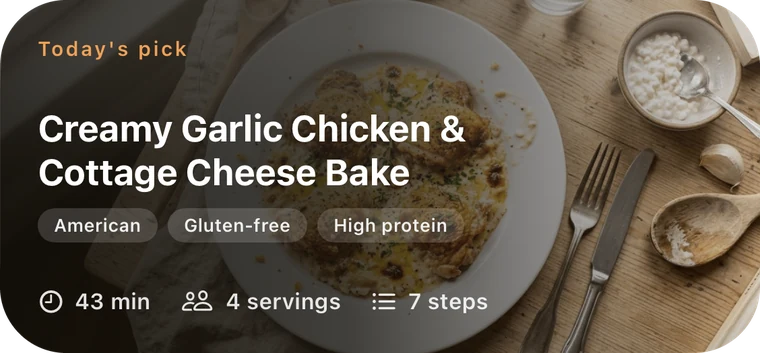
Put today’s pick, this week’s popular recipes, your meal plan and your grocery list right on your iPhone Home Screen. Tap any widget to jump straight in.
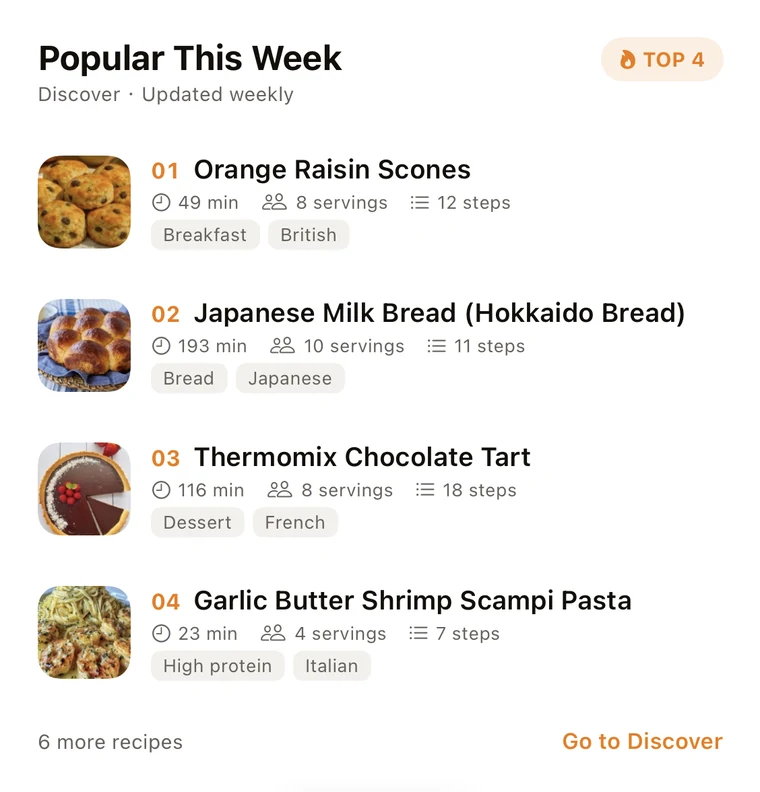
Popular this week
Today’s meal plan
Grocery list
Who it’s for
Who is Recipe Notes for?
Anyone who finds recipes online and actually wants to cook them, from a first weeknight dinner to a family meal plan.
- Students
- Fitness lovers
- Busy professionals
- Families
- Food creators
- Home bakers
- Beginner cooks
User reviews
What home cooks
are saying
From first-time cooks to seasoned food lovers, here’s why people keep their recipes in Recipe Notes.
“I love this app. I used to have recipes in my phone, on index cards in a box, more index cards in a binder. Plus cookbooks. I’ve been adding my go-to recipes in Recipe Notes and it makes it so easy. I love that you can scale the recipes and import them from the web!”
N3 dog NaniApp Store review · United States 4.7★
Average rating from 1k+ reviews.
App Store & Google Play
50,000+
Home cooks keep their recipes in Recipe Notes, from weeknight cooks to food creators.
iPhone · Android · Web
“It’s been amazing for transferring my recipes from Pinterest and TikTok… The meal prep section is super useful for lunch planning… the grocery list section is DOUBLE amazing, because I can just add everything from the recipes to a “cart” where I know how much of everything I need.”
BBasile_RavApp Store review · United States “It makes grocery shopping SO EASY when I can just choose the ingredients I need in my recipe book. Great for families when weeknights can get chaotic and ingredients might have been forgotten at the store. The import feature is excellent too!”
CcloverbiirdApp Store review · United States $0
To start. The free plan keeps unlimited recipes with cloud sync, and there are never any ads.
Free plan
FAQs
Frequently asked questions
The questions we hear most. The full list lives in the FAQ.
Is Recipe Notes free to use?
Recipe Notes has a generous free plan with unlimited recipes, cloud backup & sync, and the full core experience at no cost. An optional Recipe Notes Pro subscription is available for power users who want unlimited cookbooks, unlimited web/photo imports, full meal planning, smart grocery merging, custom cookbook icons, and Family sharing across iOS and Android for up to 6 members. Every Pro plan starts with a free 7-day trial.
Can I import recipes from Instagram or TikTok?
Yes! In Instagram or TikTok, open the Share sheet and select the Recipe Notes share extension to import automatically. Make sure you're signed in to Recipe Notes first.
Do my recipes sync across all my devices?
Absolutely. Your recipes are automatically backed up to the cloud and synced across all your devices. Access your recipes on your iPhone, iPad, Mac, or any device where you're signed in.
Is Recipe Notes available on Android?
Yes! Recipe Notes is available on Android via Google Play, on iPhone and iPad via the App Store, and on the web at my.recipenotes.app. Your recipes sync automatically across all of them, so you can save on your phone and cook from your tablet, computer, or browser.
Can I share recipes with family and friends?
Yes! You can easily share any recipe via text, email, or social media. Recipients don't need the app to view the recipe, but they can download Recipe Notes to save it to their own collection.
Pricing
Free to start,
Pro when you’re ready
The free plan keeps unlimited recipes with cloud sync and never shows ads. Go Pro to unlock everything, with a 7-day free trial.
Recipe Notes Pro
$34.99/ year · about $2.92 a month
- Unlimited cookbooks, imports and meal planning
- Smart grocery list merging
- Unlimited photo and document imports
- Custom cookbook icons
- Priority access to new features
The Family plan shares Pro with up to 6 people on iPhone and Android
Start your 7-day free trial on
Prices in USD. The App Store or Google Play shows your local price before you confirm.
Cook with ease,
wherever you are.
Get Recipe Notes free on iPhone and Android, or open it in any browser. Your recipes follow you everywhere.