
Tags are quick labels — like #easy, #family, or #meal-prep — that work alongside cookbooks. Use cookbooks for the big groups, and tags for the details that cut across them. You can filter your recipes by tag when you search.
Step 1: Open the Tag Picker
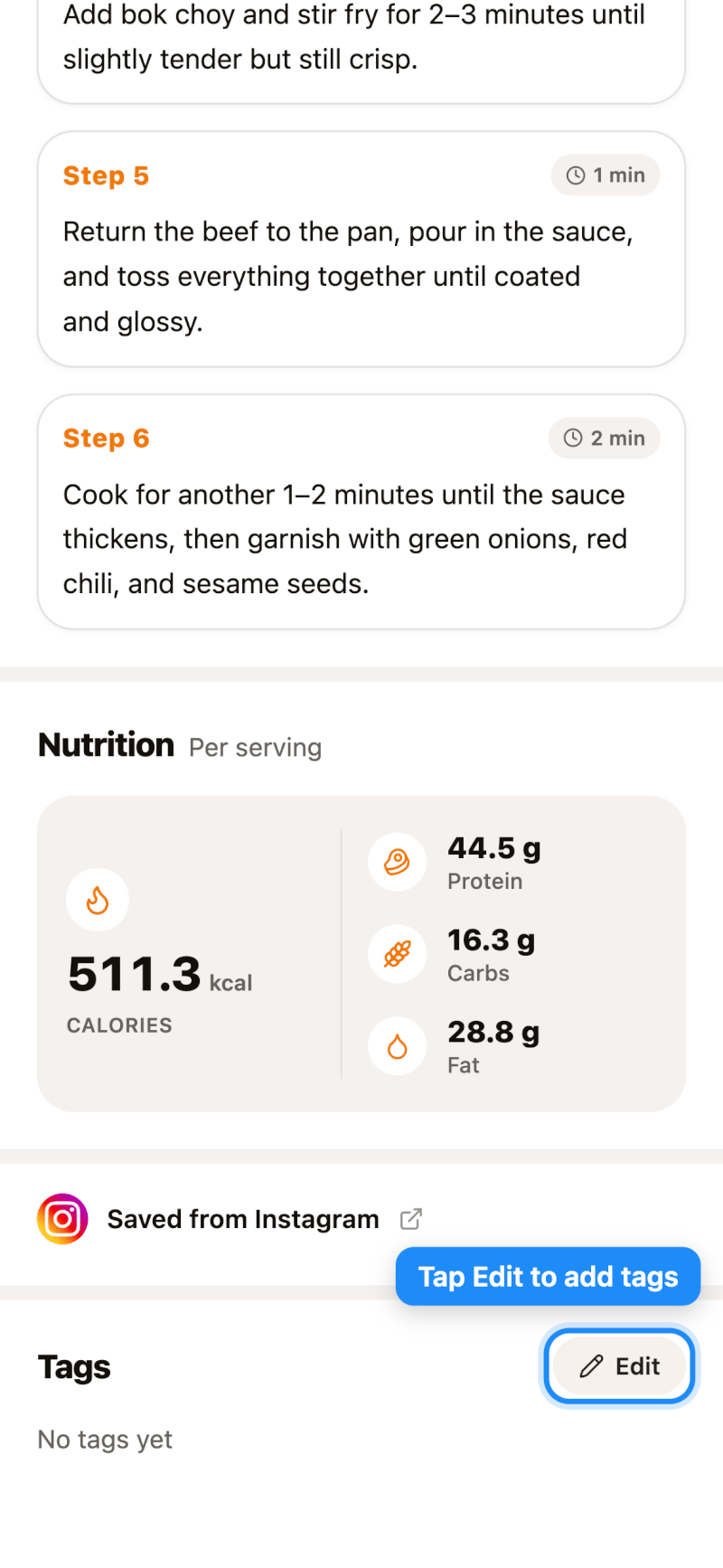
Open a recipe and scroll to the Tags section near the bottom, then tap Edit.
Step 2: Add or Create Tags
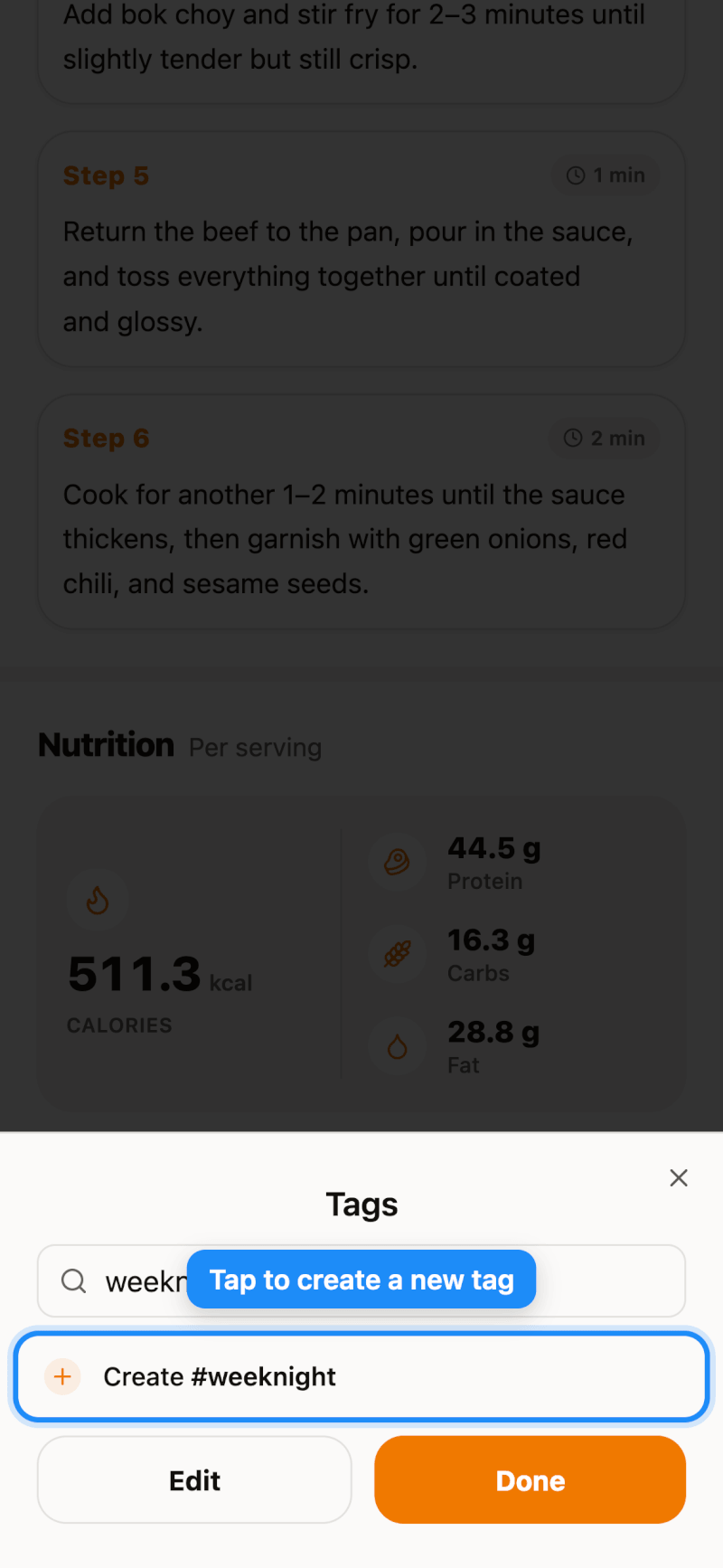
Tap any existing tag to add it to the recipe (tap it again to remove it). To make a new tag, type its name in the search box and tap Create. When you're done, tap Done.
Each recipe can have up to 30 tags.
Step 3: Reorder or Delete Tags
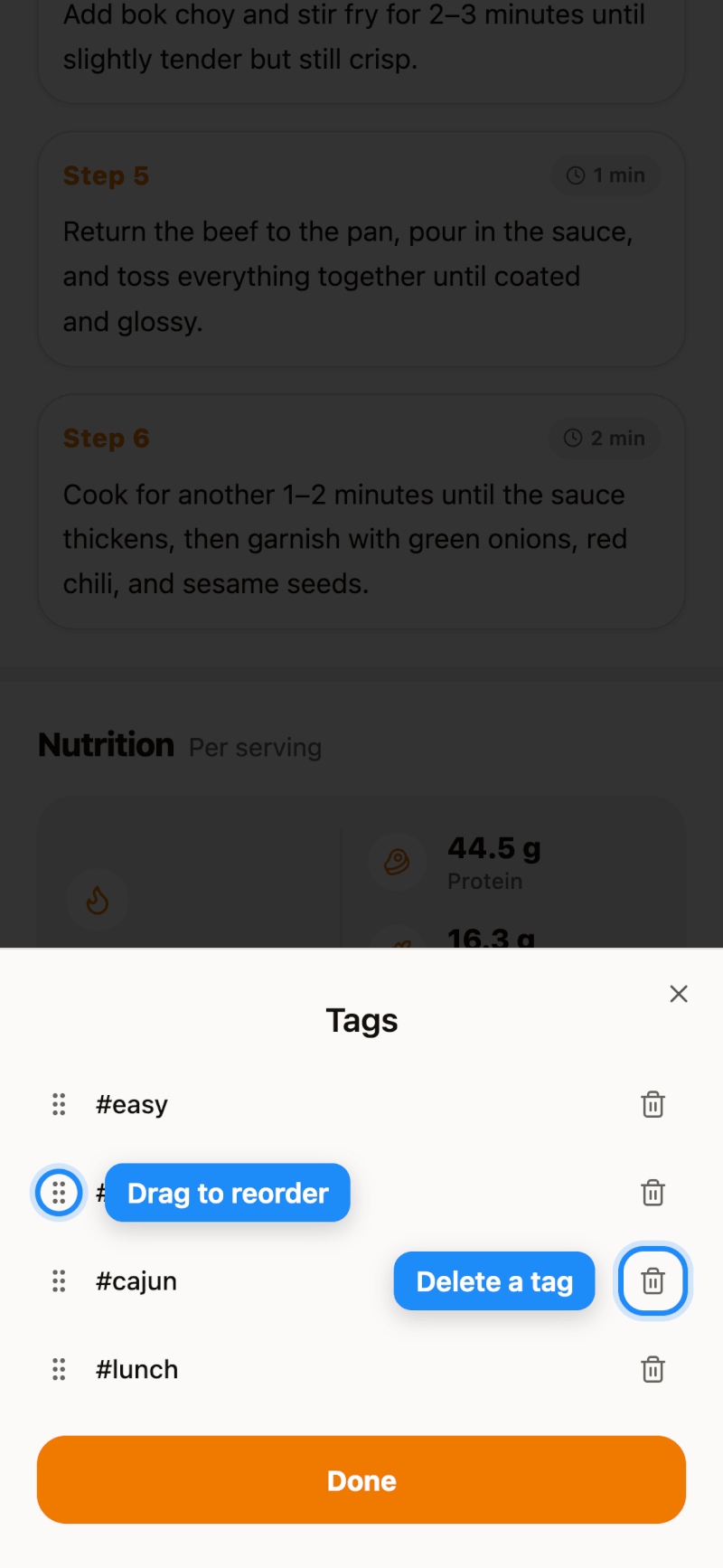
In the tag picker, tap Edit to manage your tag list:
- Reorder: drag the handle on the left to move a tag up or down. Your order is used everywhere tags appear, including search filters.
- Delete: tap the trash icon to delete a tag. It's removed from every recipe that uses it — the recipes themselves aren't affected.
Tap Done to save your changes.
Find Recipes by Tag
On the Search page, tap Filters and choose one or more tags under Tags. See how to search and filter your recipes.