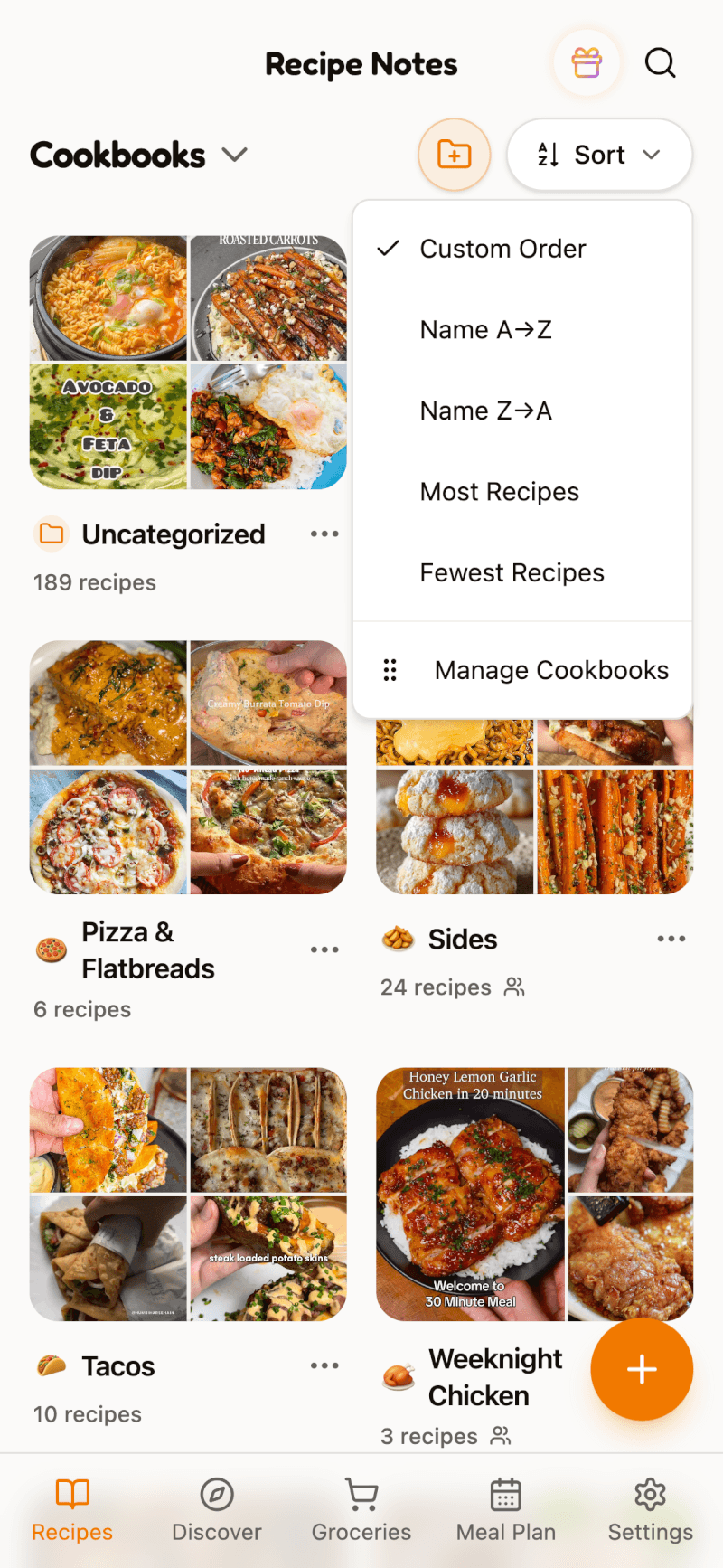
Organize your collection the way you like it. You can sort recipes by when they were added, when they were last modified, or by name, and you can arrange your cookbooks too.
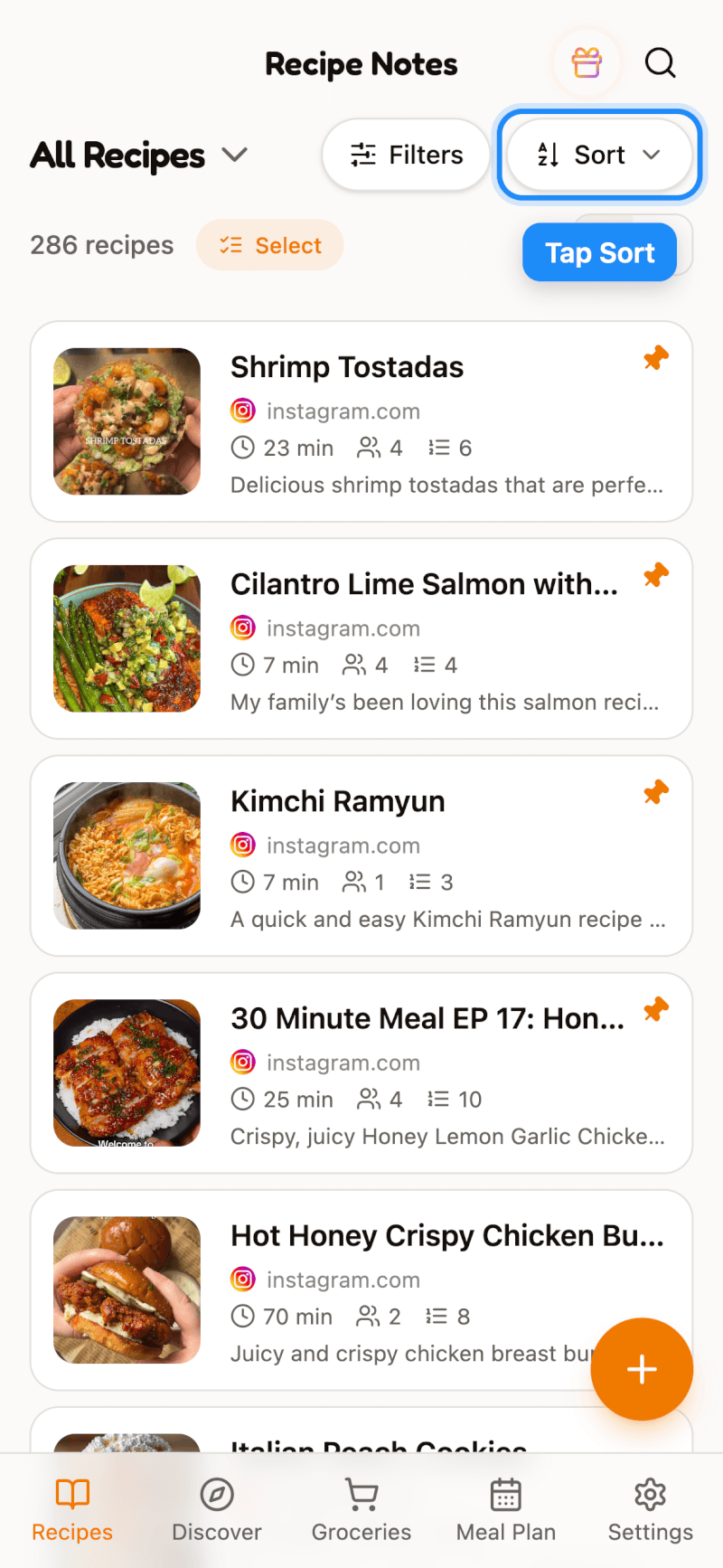
Step 1: Tap Sort
Open All Recipes (or any cookbook) and tap the Sort button at the top of the list.
Step 2: Choose a Sort Order
Pick how you'd like your recipes arranged:
- Date added — newest or oldest first
- Date modified — most recently edited or least recently edited first
- Name — A to Z or Z to A
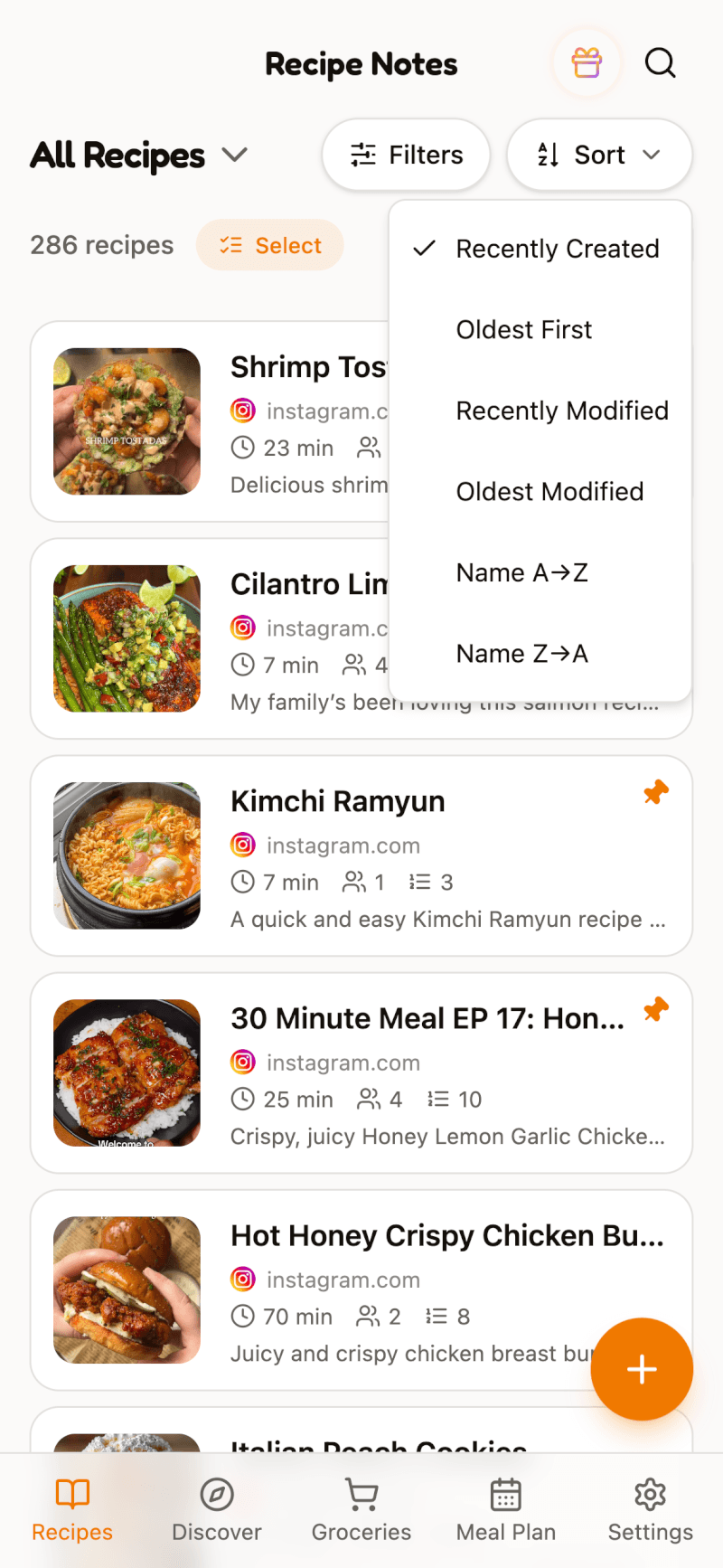
Pinned recipes always stay at the top of the list, whatever sort order you choose.
Sort Cookbooks
On the Cookbooks view, tap Sort to arrange your cookbooks:
- Custom Order — the order you set yourself
- Name A→Z / Name Z→A
- Most Recipes / Fewest Recipes
To set your own custom order, tap Manage Cookbooks and drag the cookbooks into place.