
Not sure what to cook? The Discover tab is a fresh feed of recipes picked from popular food creators, updated regularly so there's always something new to try.
Step 1: Open Discover
Tap Discover in the bottom tab bar.
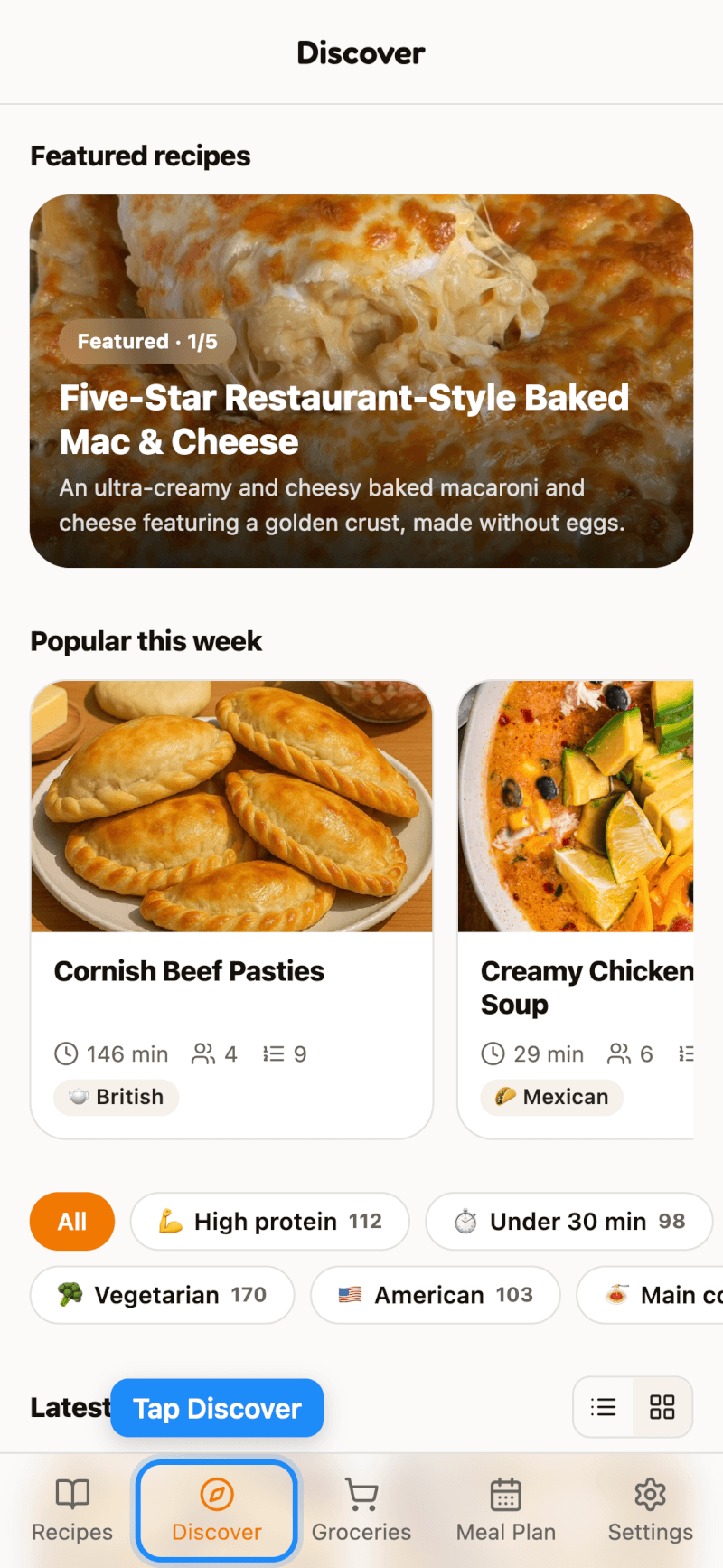
You'll find:
- Featured recipes — a hand-picked selection at the top. Swipe to see more.
- Popular this week — recipes that are trending right now.
- Latest — everything new, in a list or grid (use the buttons on the right to switch).
When new recipes arrive while you're browsing, tap the new recipes button at the top to load them.
Step 2: Browse by Tag
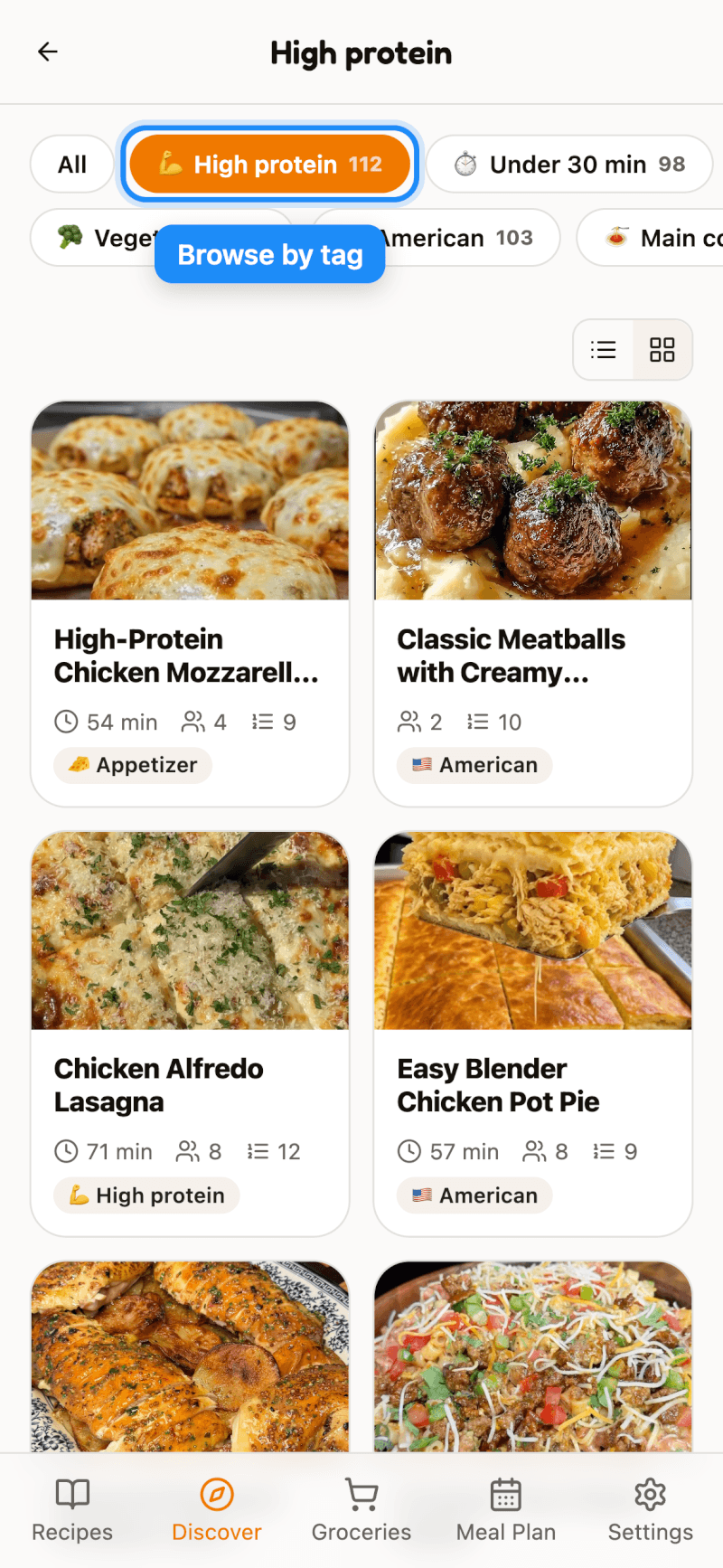
Tap a tag like High protein, Under 30 min, Vegetarian, or a cuisine to see only matching recipes. The number next to each tag shows how many recipes it includes.
Step 3: Save a Recipe
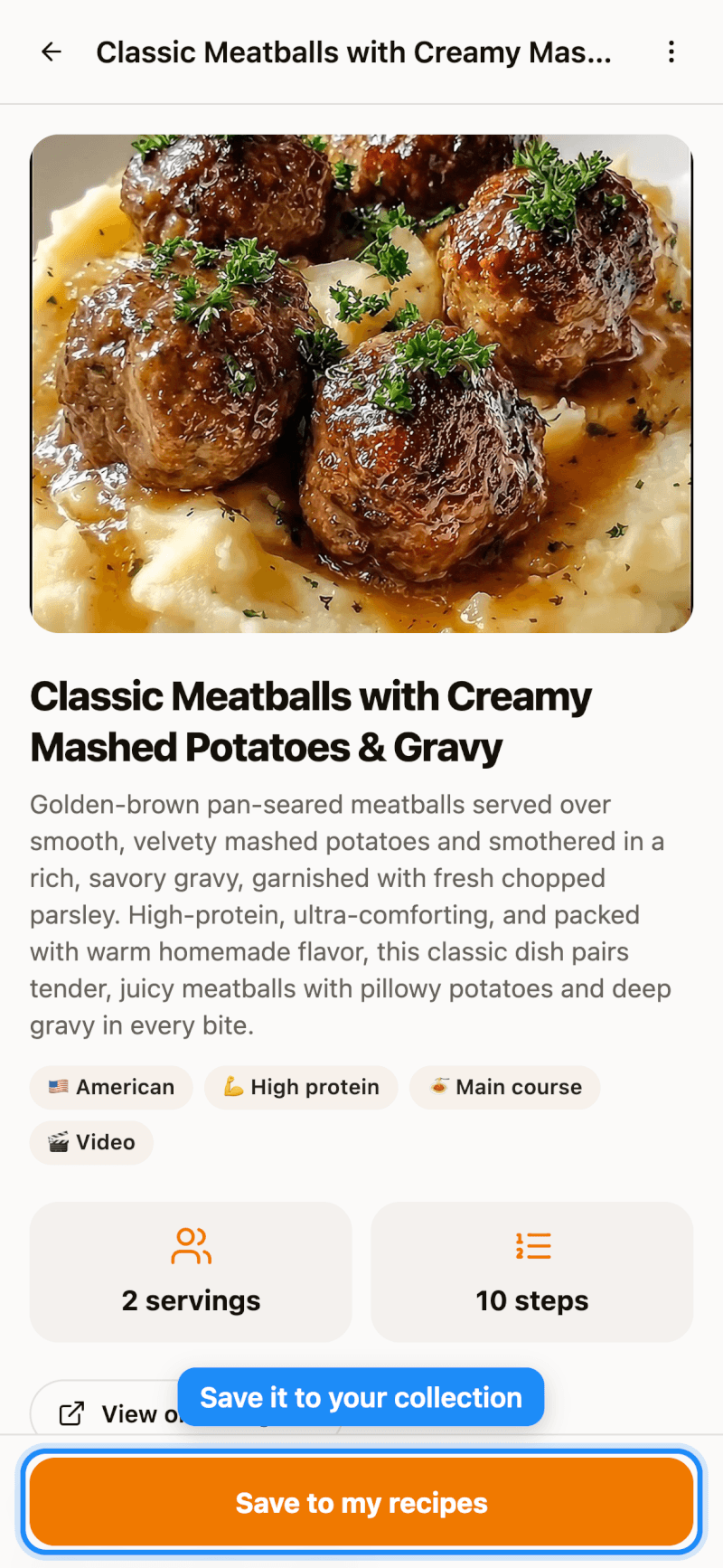
Tap any recipe to see its description, tags, servings, and steps. You can also open the original post. When you find one you like, tap Save to My Recipes to add it to your collection — then edit it, add it to a cookbook, or plan it into your week like any other recipe.
Good to Know
- On the Free plan, saving a recipe from Discover counts toward your social import allowance (up to 5 a day and 20 a week). Pro members can save as many as they like — see which plan is right for you.
- See something that shouldn't be there? Tap the More button (⋯) on the recipe page to report it.