
步骤 1: 打开 iOS 设置
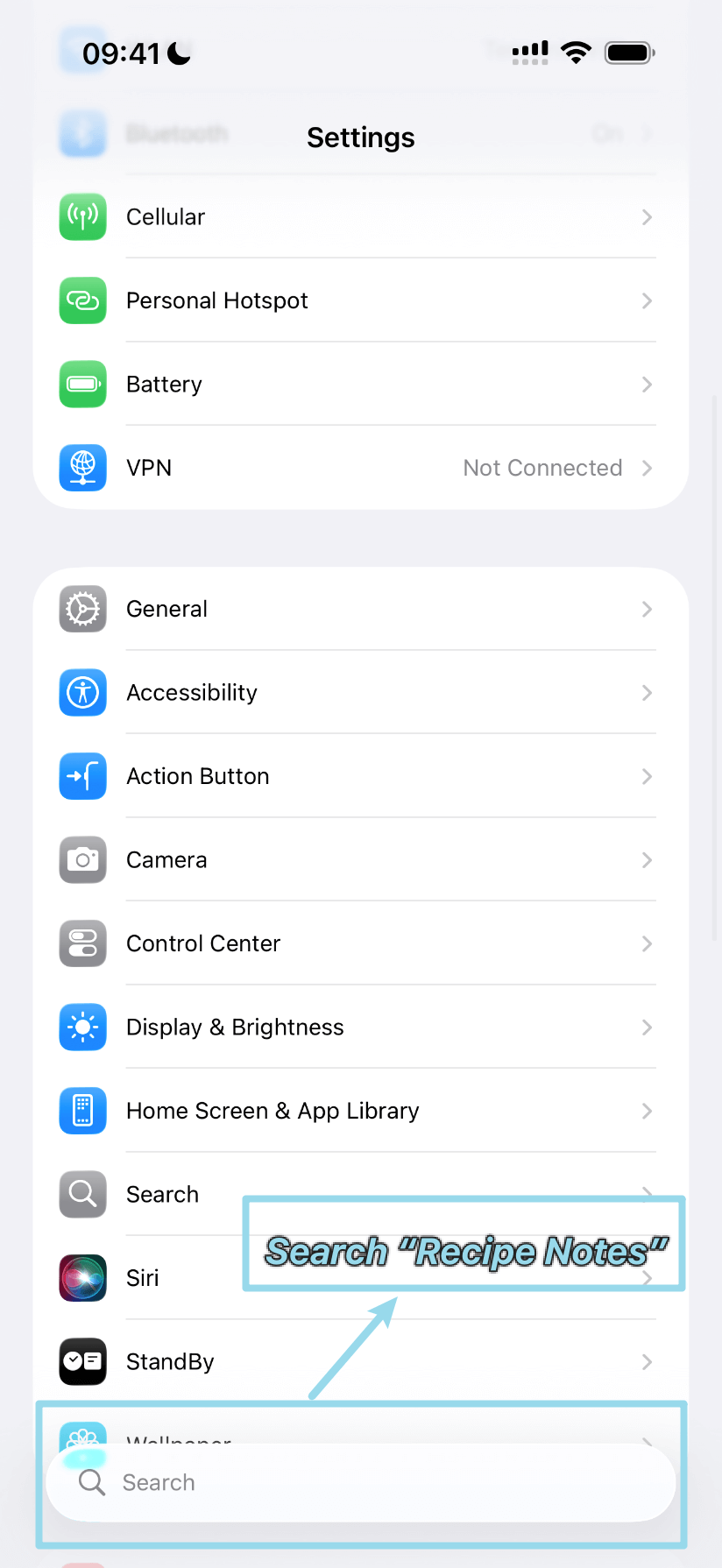
打开 iOS“设置”App,使用顶部的搜索栏搜索“Recipe Notes”。
步骤 2: 搜索 Recipe Notes
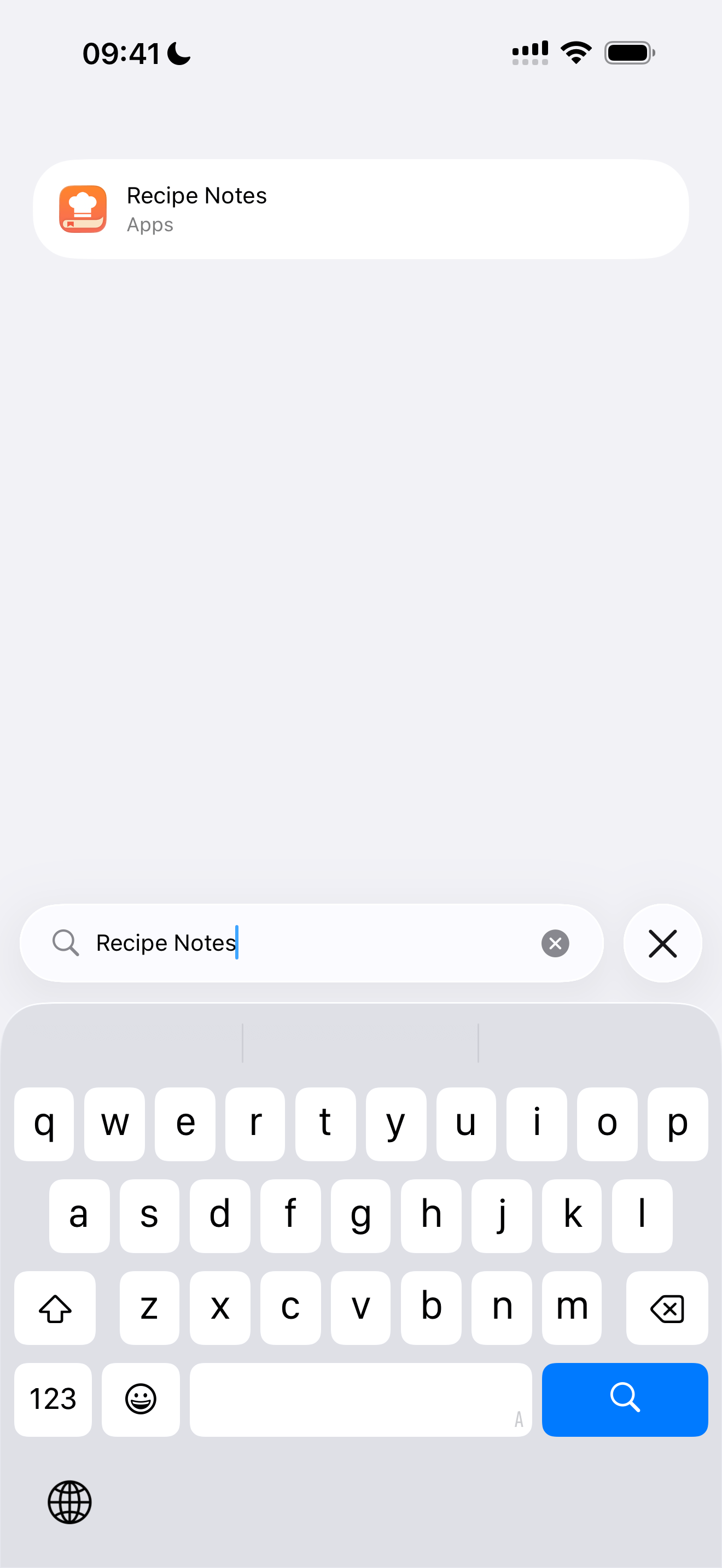
在搜索栏中输入“Recipe Notes”,快速找到该 App 的设置。
步骤 3: 开启提醒事项
在 Recipe Notes 的设置中找到“提醒事项”选项,打开开关以允许访问。
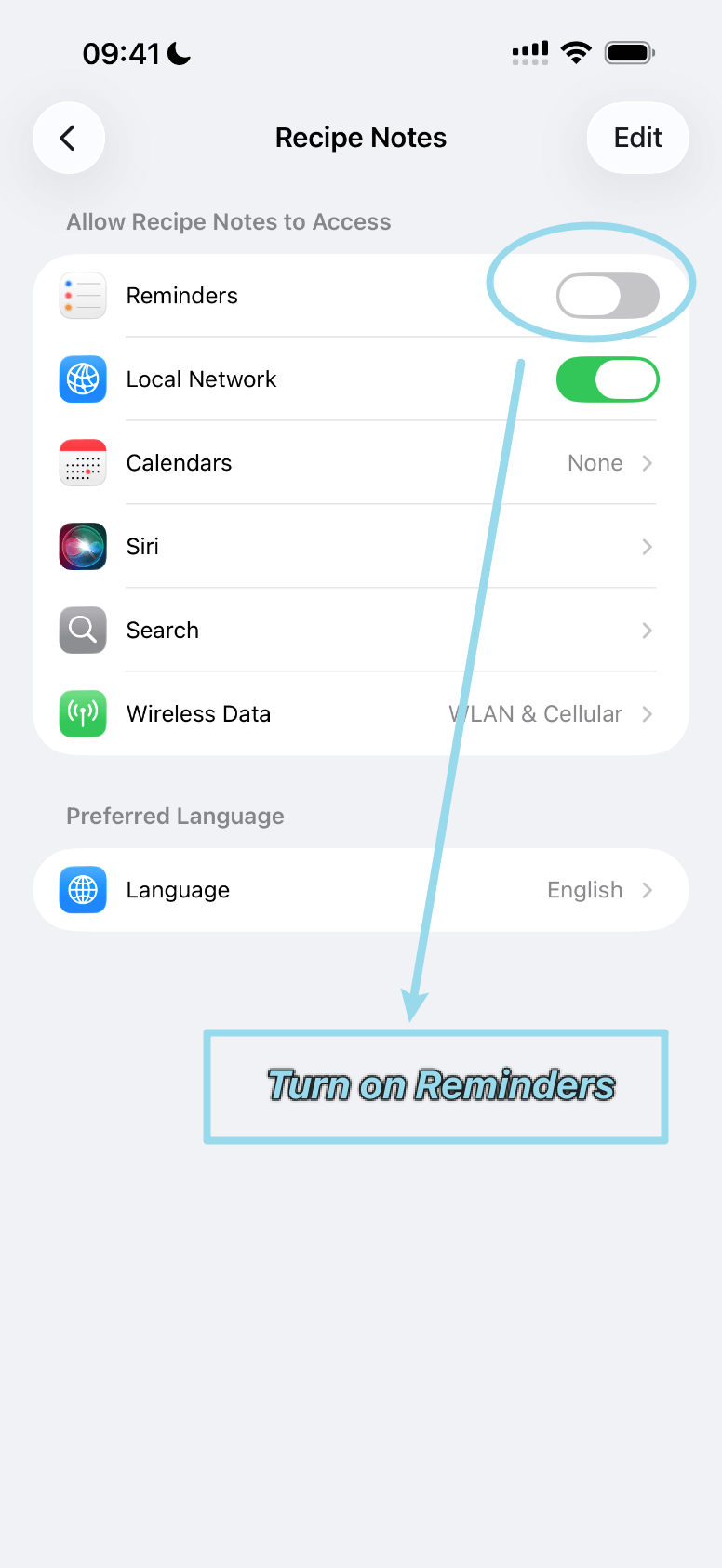
允许 Recipe Notes 与 iOS“提醒事项”App 同步,用于购物清单和膳食计划。
打开 iOS“设置”App,使用顶部的搜索栏搜索“Recipe Notes”。
在搜索栏中输入“Recipe Notes”,快速找到该 App 的设置。
在 Recipe Notes 的设置中找到“提醒事项”选项,打开开关以允许访问。